
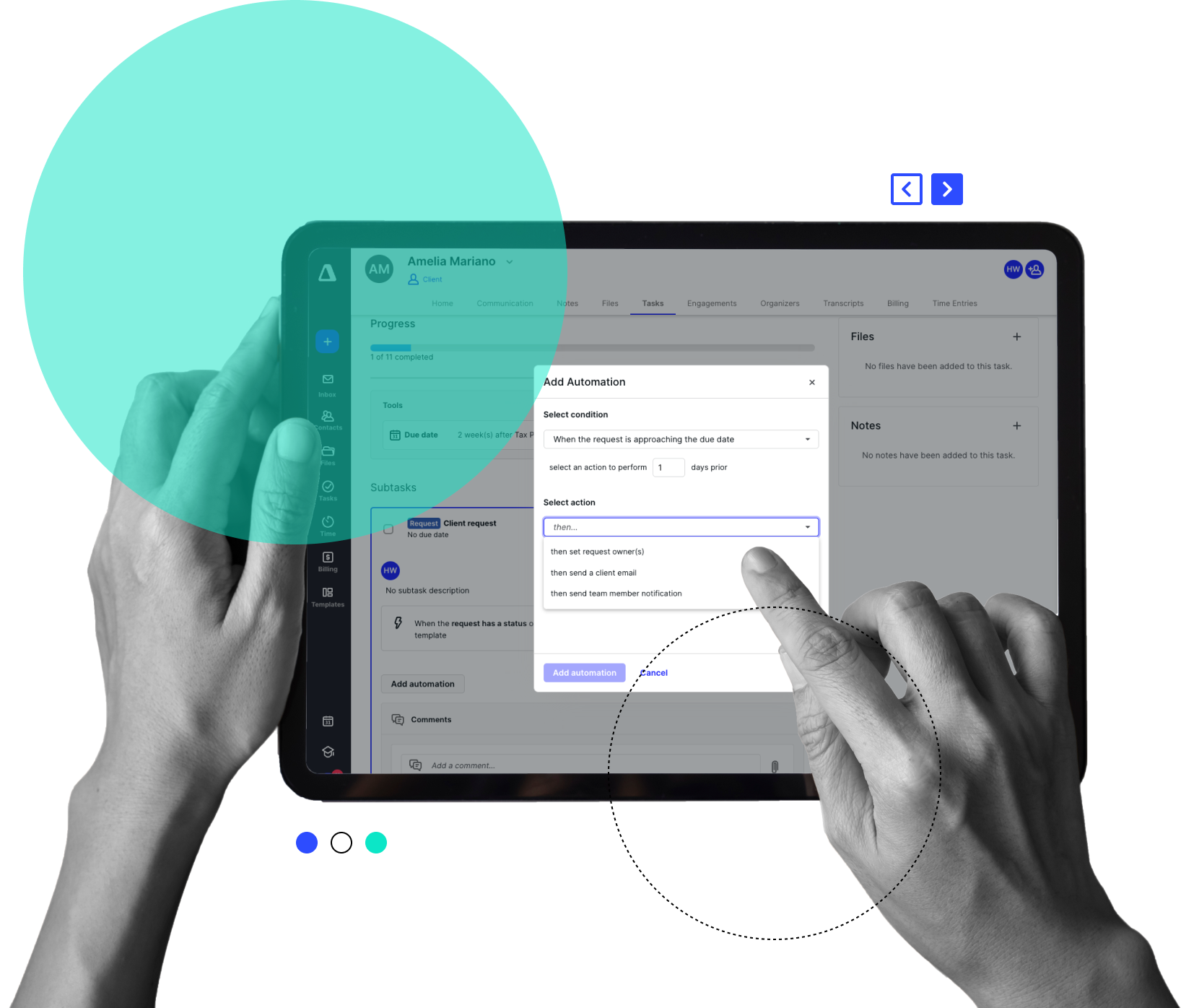
AI-AUGMENTED ACCOUNTING WORKFLOW MANAGEMENT SOFTWARE
Workflow
Instantly know what each team member is working on.
-
 Auto-create tasks when clients sign an engagement
-
Custom templates & role-based routing ensure the right work lands with the right people, every time
-
Status changes happen automatically based on pre-built logic
-
Canopy Notetaker automatically transforms client meetings into instant, searchable documentation and action items
-
Canopy Coworker replaces complex flowcharts with plain-language outcomes, automatically executing multi-step plans
“With Canopy, we really love our custom automations. We built out templates for all our different services. When specific things are finished in a project, it closes out and pushes over to our invoicing team to create an invoice, which gets sent over to our tax team to start prepping for their tax return now that the bookkeeping project is finished.”Ryan Medico, CFO, Solutions Group Accounting Firm
Less clicking. More doing.
Canopy Workflow automates the flow so you can focus your time on the right things.

Firm-Wide Visibility
No more “I thought you were working on that!” Know exactly who is assigned each piece of work, what’s been finished, and what’s still outstanding.
Improve Process Efficiency
Create templates, assign tasks in bulk, build automations—everything you need to free up more of your time. And then it’s just wash, rinse, repeat.

Enhance Accuracy
It’s easy to forget, slow down, miss a notification, make simple mistakes. Canopy workflow is built just for accounting firms so your human error rate goes way down.
WORKFLOW AUTOMATION
Workflow and Automations Built for Accountants
Canopy puts the flow in workflow. (You put the work in.)
-
Track and filter tasks for easy project management
-
Make assignments to users or roles
-
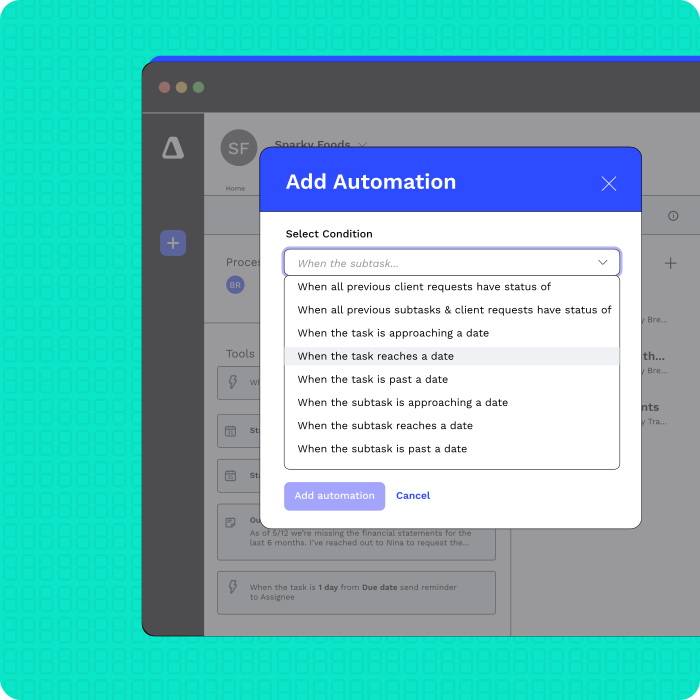
Automate project creation with Engagements
EASY COLLABORATION
Two Brains Are Better Than One
And three are better than two (especially when one is a computer).
-
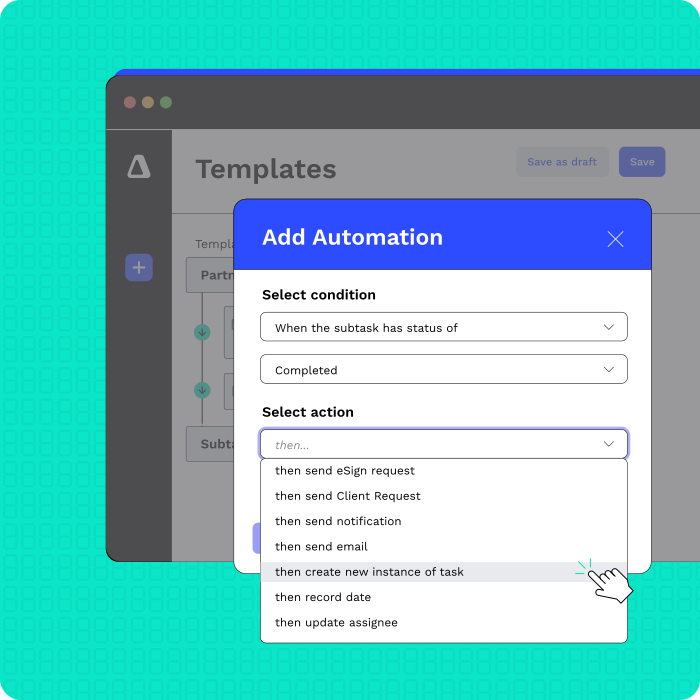
Build robust templates with automations
-
Create recurring logic for predictable projects
-
Tag colleagues on tasks to clarify or notify

“We have loved the task side of things for our firm. It helps us stay organized and we always know where things are at. Our task management is better than it ever has been before. The file structure is very user friendly and has little features that make our processes simple.”
“Overall, my firm's experience with Canopy Software has been amazing. The platform is user-friendly, customizable, and offers a wide range of automation options that have helped me save a lot of time.”
“Canopy is solving my CRM needs, as well as email organization, task management, templates, and automation, all with a client portal mobile app. Canopy has become the perfect solution to organizing my practice in one place.”
“We use Canopy to create and manage internal tasks. Specific follow-ups, customer requests, internal research tasks, and other to-do items can be quickly established, assigned, and tracked to completion with straight-forward steps. Staff can readily pull up their task lists, update them based on progress made, and request assistance or review.”
“Canopy has allowed our firm to operate more efficiently, allowing for a number of manual processes to be automated, giving us more visibility over workflow, and the list of positives goes on and on.”
RESOURCE MANAGEMENT/CAPACITY PLANNING
Know Your Firm's Limits
Work with what you’ve got and create efficiencies.
-
Manage tasks with roles for flexible assignment and work queues
-
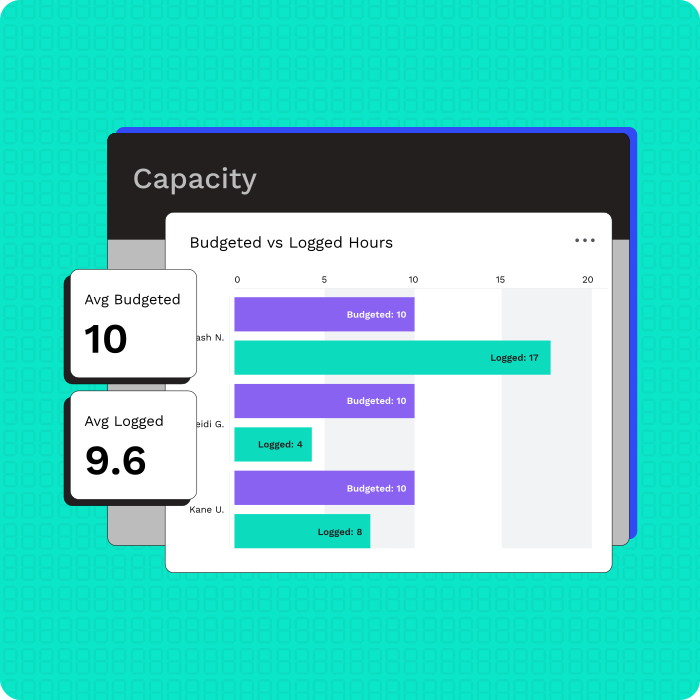
Utilize a live, visual Capacity Planning dashboard
-
Associate projects with budgeted and actual time
Firms need project management that works for them. Tasks, subtasks, checklists, client requests, organizers, questionnaires, eSignatures. There’s a reason why that list includes more than typical project management. Work goes from you to the client and back again, and things can get lost in the shuffle. Reminders and automations help decrease that lag. Team comments help provide a space for chats specific to the work you’re doing. What’s better than kicking off a project by laying out the terms, services, and pricing to a client in an engagement before any work has been completed? We’ll tell you: automated task creation once the client has accepted those terms!
-
Tasks, subtasks, and checklists
-
Client requests, organizers, and questionnaires
-
eSignatures and engagement agreements
-
Team comments and file-level collaboration
“Automating client tasks cut our back-and-forth dramatically. Canopy makes remote work seamless.”Rusty Fulling, Fulling Management & Accounting
“The most helpful thing about Canopy is having industry specific workflow templates that you are able to tweak and make your own.”Allie Bouffard, Firm Owner
Ready to get started?
Frequently Asked Questions
Can’t find the answer you are looking for? Reach out to our support team.