
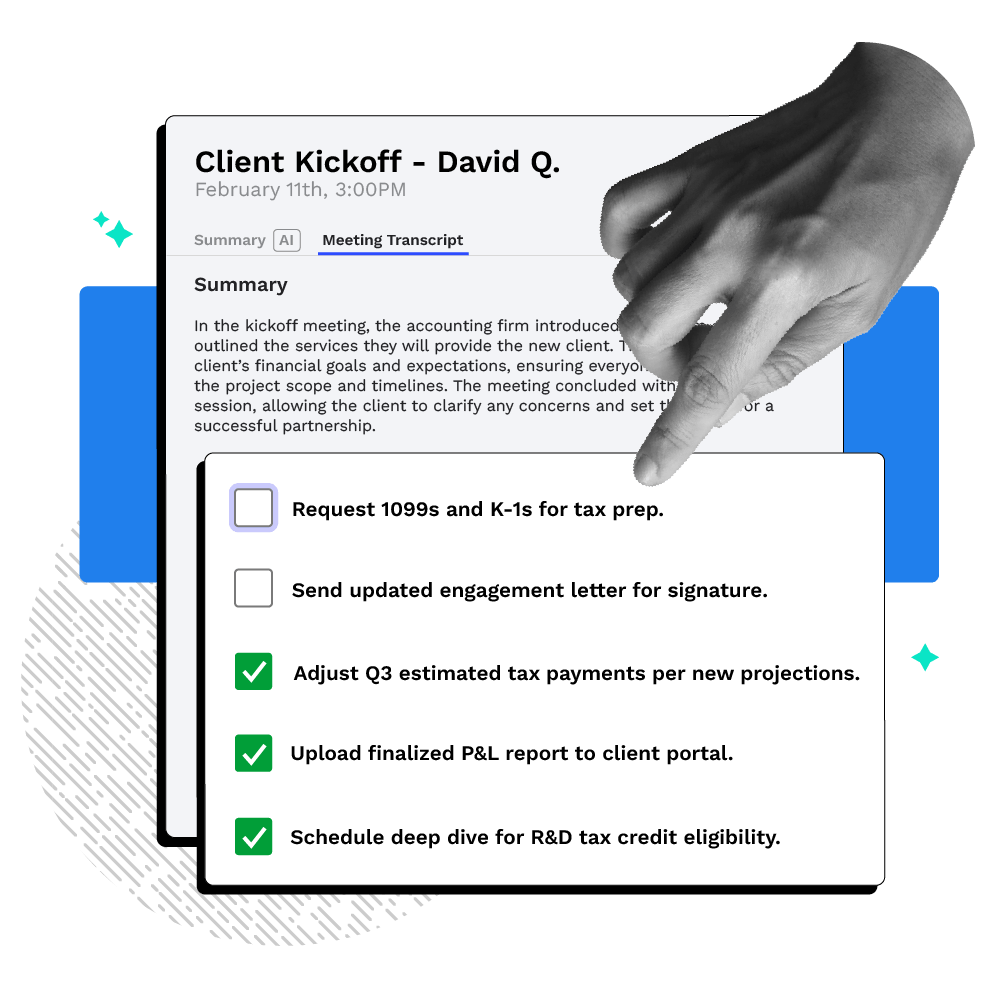
YOUR AI-POWERED MEETING ASSISTANT
Canopy Notetaker
Automatically capture, summarize, and transform every client meeting into actionable tasks
-
 Instantly distills complex client discussions into concise executive summaries, saving hours of manual note-taking.
-
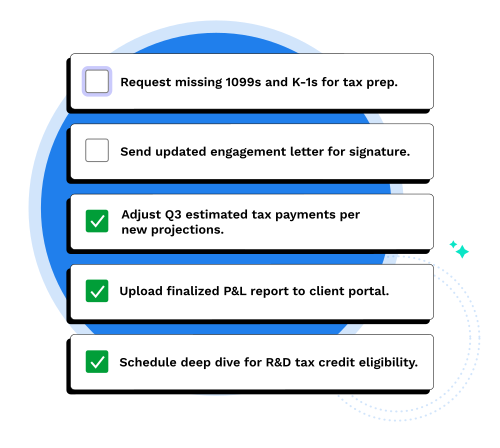
Identifies commitments made during calls and transforms them into structured tasks with assignees and due dates.
-
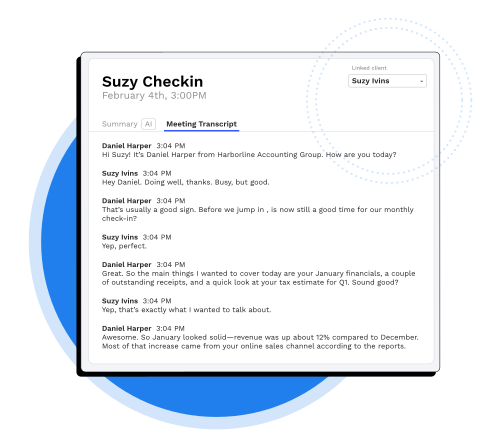
Automatically links transcripts and summaries to the relevant Client Record, ensuring a permanent, searchable history.
“I used to waste time manually syncing Otter.ai transcripts into Canopy. Now that Canopy handles the note-taking natively and automatically, I’ve eliminated one more app I won't have to worry about. It’s a huge relief to have my meeting intelligence and client files finally living under one roof.”Moses Man, CEO at M Squared Tax PLLC
Replace post-meeting amnesia with instant action
Spend less time remembering (or trying to remember) what was said and more getting things done

Action Items, Extracted Instantly
Follow-up tasks are pulled from the conversation automatically—document requests, deadline commitments, client decisions—already organized.

Accounting-Aware Summaries
No generic bullet points here, just client intent, tax risks, commitments, and next steps specific to accounting.

Firm-Wide Context and Control
All meeting data lives inside Canopy with your existing permissions. Team members see what they should. Client context stays with the firm, not individual accounts.
CLIENT NOTES FOR YOUR CRM
One Source of Truth for Every Conversation
Stop searching through Zoom recordings or scattered notebooks. Notetaker automatically attaches every transcript and summary directly to the client’s record.
-
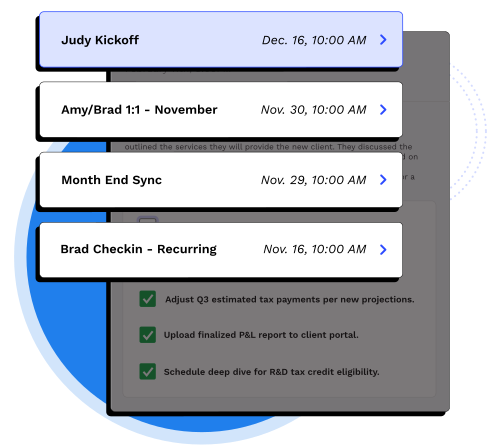
Searchable meeting history across the entire firm
-
Anyone with permission to view the client record can view transcript and notes
-
Summaries organized by engagement or tax year
PUT YOUR MEETINGS IN YOUR WORKFLOW
Seamless Handoffs, Every Time
Don’t let tasks fall through the cracks between the “Meeting” and the “Work.” Notetaker bridges the gap by automating the setup of the next steps.
-
AI-suggested tasks based on verbal commitments
-
Assign subtasks to team members immediately after the call ends
-
All summaries and actions are accounting aware
GROWTH WITHOUT MORE OVERHEAD
Scale Your Client Onboarding and Advisory
As you add more clients and staff, the burden of “remembering” scales exponentially. Notetaker remembers, stores, and organizes the details, you scale your firm.
-
Standardize how notes are captured across all service lines
-
Onboard new staff faster by giving them instant access to historical client context
-
Reduce “internal update” meetings by 40% with transparent meeting records
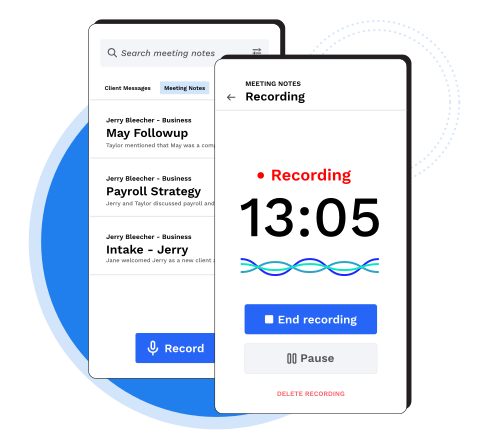
MOBILE MEETING RECORDING
Meetings In, Action Items Out
No matter where the conversation happens, Canopy’s AI Notetaker on mobile turns it into momentum for your firm. Just tap record and talk to your client.
-
Capture accurate audio recordings of in-person client consultations or phone calls within Canopy’s secure app
-
Record and transcribe in-person or phone conversations and attach to the client record automatically
-
Accounting aware summaries surface client insights, risks, commitments, and follow-ups
-
With the mobile app, audio saves locally if you lose signal and syncs automatically when connectivity returns.
What is Canopy Notetaker?
Every client call, captured and put to work. Notetaker records your meetings, pulls out the key takeaways, and automatically turns action items into tasks—so nothing gets missed and nothing gets lost.
Here’s how Canopy Notetaker really works:
-
Step 1: Link your calendar to Canopy and choose which meetings the notetaker joins automatically. You can also add it to individual meetings anytime.
-
Step 2: The AI bot joins your meetings in the background—recording, transcribing, and capturing the conversation so you can focus on your client.
-
Step 3: After the meeting, check the Meeting Notes tab for your transcript, accounting-aware summary, and extracted action items—all linked to the client record. Edit if needed, then act on what matters.
“Canopy’s client management features allow us to deliver consistent service while giving us visibility into every relationship.”Accountability Services
“Our client base is always changing, and I love that Canopy doesn’t lock us into a rigid setup. We can organize clients the way we want and keep things adaptable as we grow.”Beth, Fullerton Tax Service
Ready to get started?
Frequently Asked Questions
Can’t find the answer you are looking for? Reach out to our support team.
Canopy Notetaker is an AI meeting assistant that automatically joins, records, transcribes, and summarizes client and internal meetings. This tool eliminates manual note-taking and fragmented client records by linking meeting data directly to the client record in Canopy practice management software.