
COMMUNICATION DRIVES PROGRESS
Client Communication
Client communication should move work forward, not create more of it.
-
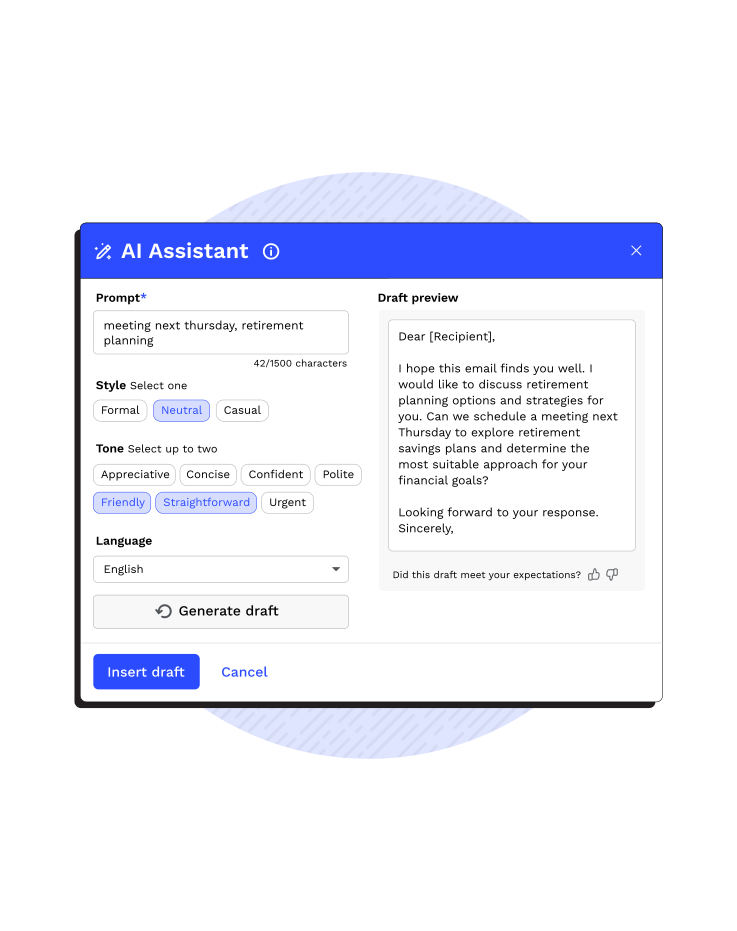
 Internal AI handles the heavy lifting of drafting emails, instantly polishing your tone so every message is professional and clear
-
Smart Intake recognizes uploads like W-2s or 1099s and checks them off the request list so clients get immediate confirmation
-
Notetaker AI streamlines client communication by automatically generating accounting-aware meeting summaries and action items
-
Canopy Coworker streamlines client interactions by automating repetitive follow-ups, drafting context-aware communications, and centralizing all client touchpoints
“I love that Canopy is always experimenting and trying out new ideas which not only make learning and improving efficiency enjoyable but also take the repetitive data entry off our hands, giving us more time to engage with our clients.”Gail K., Canopy User
A better way to work with your clients
How to keep communication, documents, and updates flowing.
Branded Client Portal & Mobile App
Deliver a premium, firm-branded experience with a 4.9-star mobile app that lets clients manage everything from their pockets. It replaces dated, clunky portals with a secure, intuitive environment that enhances your reputation.

Automated Requests & Reminders
Stop chasing documents with automated triggers that send personalized requests and follow-ups on your behalf. This reduces administrative busy work and ensures your team has the data they need to stay productive without manual effort.

Centralized Communication
Keep all client communication in one place. From direct messages to doc requests, Canopy ensures full team alignment and prevents critical details from getting lost.
CONNECTED CLIENT CONVERSATIONS
The Full Picture, Always
Client messaging, document requests, questionnaires, engagement letters, and payment requests all live inside the client record, so your team always sees communication in context.
-
Messages are automatically logged and tied to the relevant request, task, or engagement
-
Questionnaires stay connected to their responses for easy review
-
Document checklists show real-time upload status from clients
-
Engagement letters sit alongside scope, pricing, signatures, and payment requests
-
Your team sees full client conversation without digging through scattered, disjointed, endless email threads
CLEAR NEXT STEPS
Clients know exactly what to do (and when)
Clients can see what needs to be done + your team can see what is blocking progress = everyone understands the next step
-
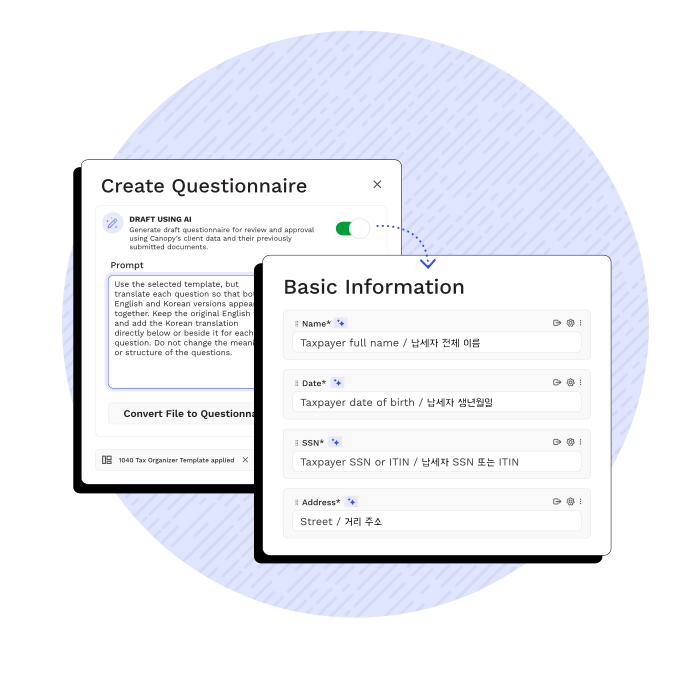
Intake questionnaires guide clients through the information you need
-
Document request lists show exactly what files are still outstanding
-
eSignatures and payment requests are delivered in the same workflow
-
Automated reminders and notifications keep clients on track
-
Work moves forward without vague emails, missing attachments, or endless follow-ups

“My favorite Canopy feature is the client messaging that just recently came out. I'm so excited for it because it's all in one system. Being able to reach out to the clients through Canopy instead of using a personal phone number or having to have a different system is so great.”

“The client-facing side of Canopy is what matters most for us. It's the foundation for how we onboard, share documents, and communicate—especially for clients who never step foot in our office. Clients get used to the portal quickly and we don't get a lot of complaints. It's user-friendly on their end, and it saves us time on ours. ”
“Canopy has truly improved the way I manage my practice by centralizing documents, notes, and communication in one place. It’s a reliable system that keeps me organized and allows me to spend more time focusing on my clients.”
“I’m really excited to see that client messaging is a feature in Canopy because it is going to be great for my tax preparers. Now they don’t have to type an email asking for a piece of information which violates our WISP. It will just be a message that just pings their phone right in their portal and they’ll be better to respond.”
CLIENT MESSAGING
Stop Managing Inboxes and Start Having Conversations
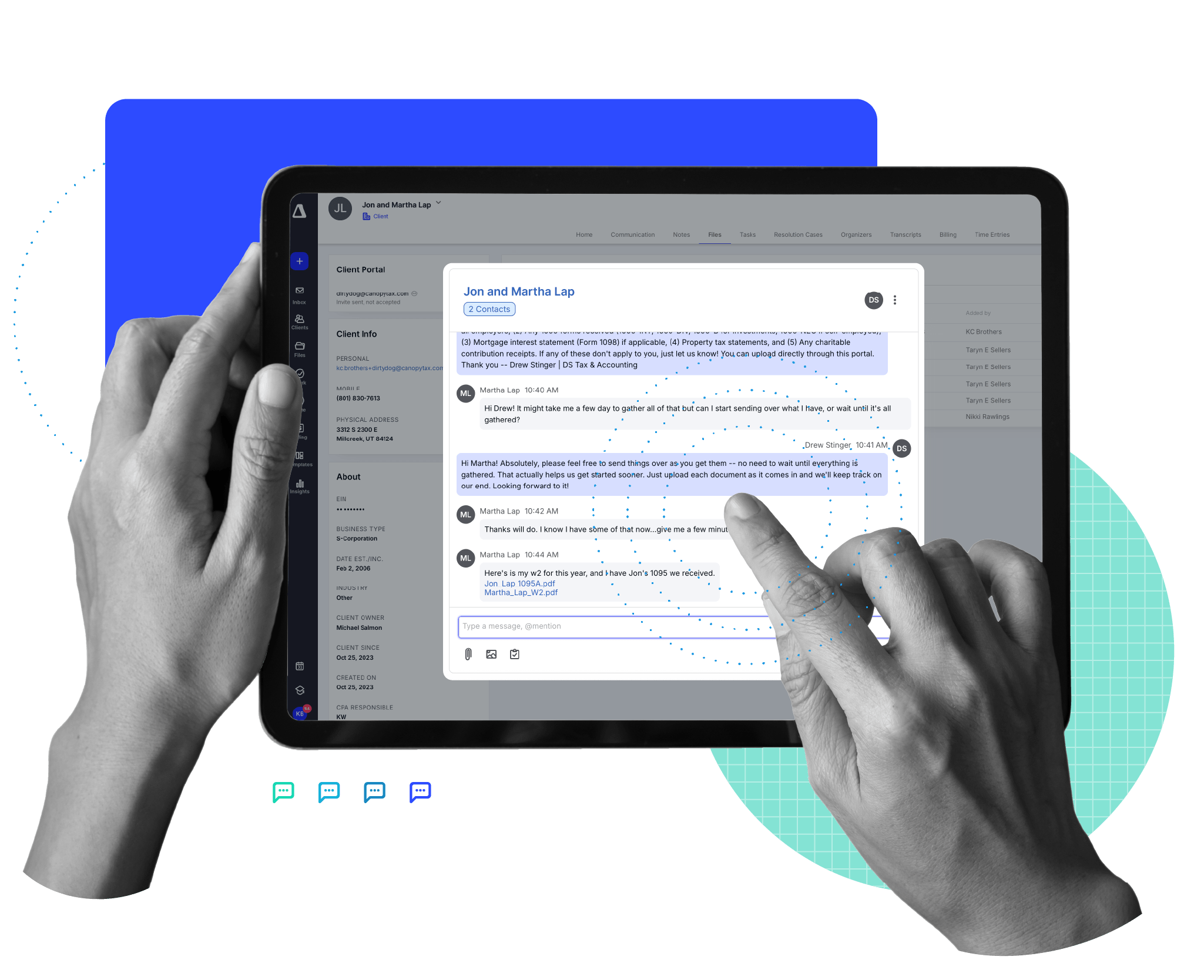
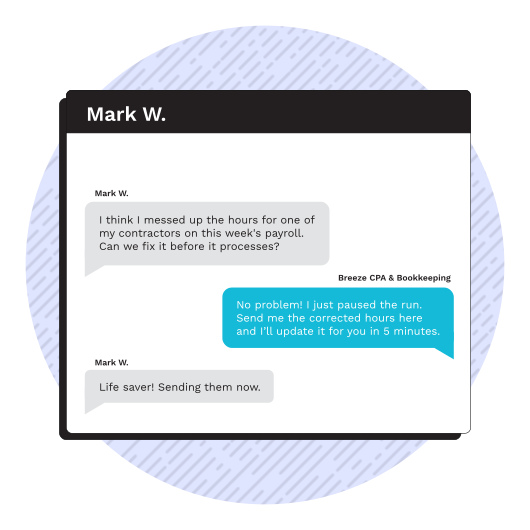
Client Messaging is Canopy’s secure, two-way chat experience that anchors your conversations, files, and context directly to the client record, via the desktop or the client portal.
-
Messages are sent and received inside Canopy (web + mobile) keeping sensitive data off personal devices and out of disparate email chains
-
Clients can upload or download documents directly within the thread
-
All assigned team members receive notifications
YOUR AI-POWERED MEETING ASSISTANT
Canopy Notetaker
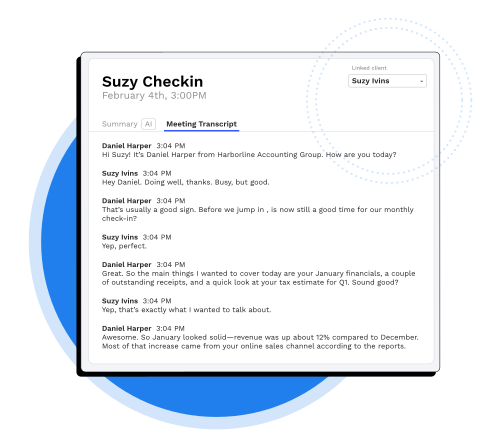
Canopy Notetaker eliminates manual post-meeting administrative work by automatically capturing and organizing everything discussed on your video calls.
-
Invite Canopy Notetaker to your client calls on Zoom, Microsoft Teams, or Google Meet, and it instantly goes it work
-
The built-in AI automatically records and transcribes the entire meeting with your client in real time so you can focus on the advisory—not typing
-
Notetaker analyzes the discussion to pinpoint milestones, deadlines, and deliverables discussed during the meeting
Ready to get started?
Frequently Asked Questions
Can’t find the answer you are looking for? Reach out to our support team.
Canopy client communication connects every message to a request, task, or engagement inside Canopy practice management software. Emails, portal messages, document requests, and engagement letters all attach to the client record, so communication drives work forward. Unlike traditional inbox threads, Canopy ensures conversations trigger completion, not confusion.