
ACCOUNTING PRACTICE MANAGEMENT SOFTWARE
Internal Firm Collaboration
Your entire firm, perfectly in sync on one connected platform.
-
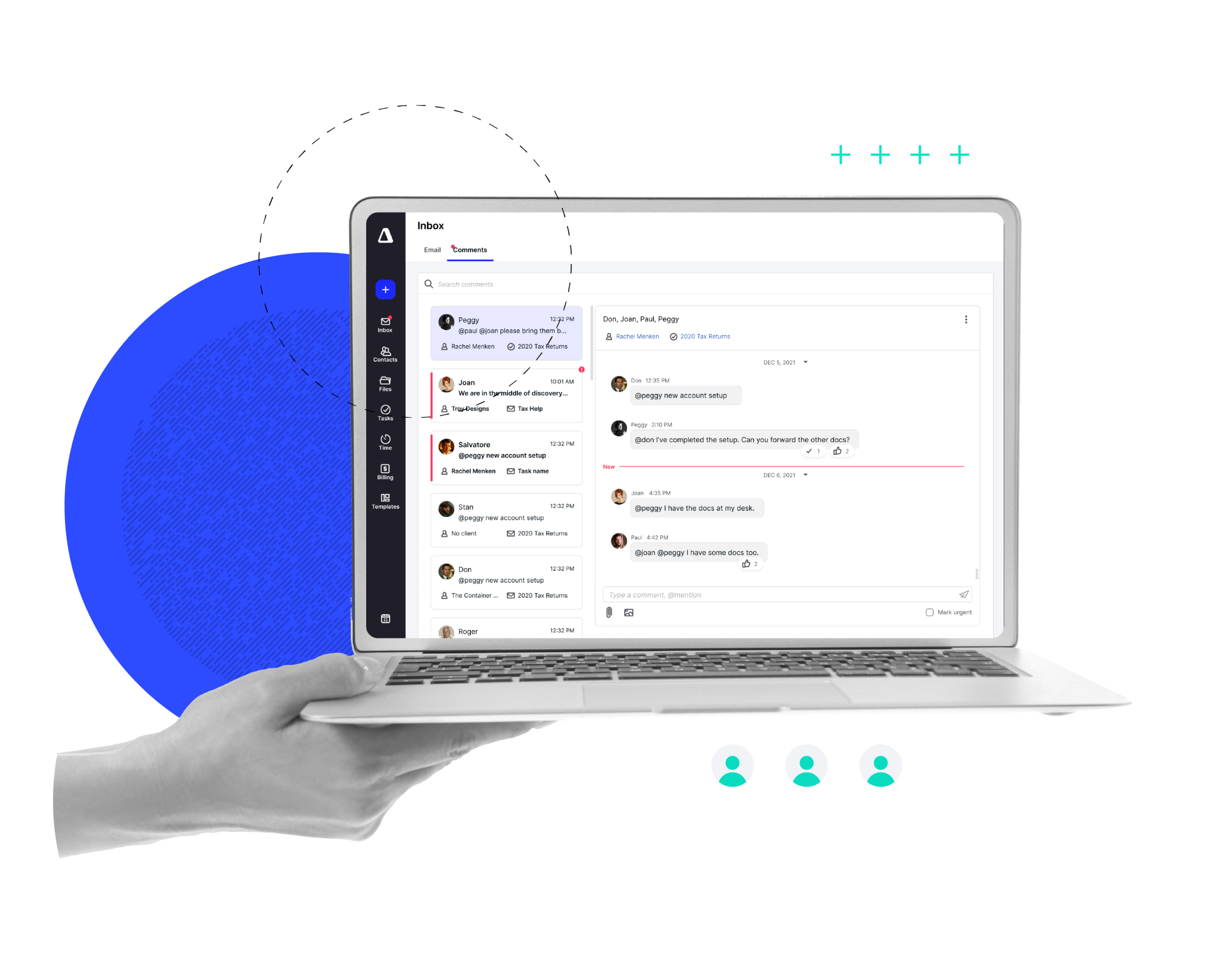
 Instantly distills long client email histories into internal briefings, allowing any team member to take over a project with full context in seconds
-
Transforms messy client notes or meeting transcripts into structured, bulleted next steps within internal tasks to ensure clean hand-offs
-
Identifies, renames, and files incoming documents automatically, ensuring an organized workspace
-
Notetaker automatically captures meeting summaries and adds them to the client record, so everyone with access to the client has context and meeting history
“The thing I like the most about Canopy is the seamless tracking throughout the firm. No matter who it is in our firm—admin, preparer, bookkeeper, review—everyone is able to see where we are at in a return, what we still need, and all updates on the return.”Jade A., Canopy User
Replace coordination chaos with clarity
The best systems help managers spend less time coordinating work and more time growing the firm.
Staff Always Know What To Do Next
By centralizing every task and client detail, your team can stop asking for updates and finish work faster.

Managers See Progress, No Chasing Updates
Real-time dashboards and automated reporting provide instant oversight, without team interruptions. Easily spot bottlenecks and rebalance workloads.

Full Leadership Visibility
Get a pulse on every project and deadline. Canopy tracks firm-wide progress, making it easy to see where work stands.
FIRM-WIDE VISIBILITY
Clarity across your firm
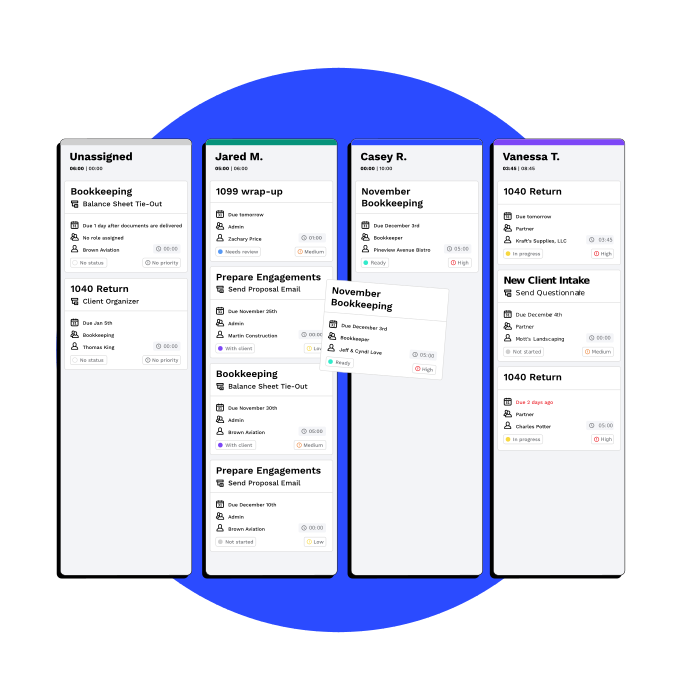
Shared task and workflow management keeps every engagement transparent. Tasks, subtasks, and dependencies are visible in real time, so teams never need to ask, “Where is this at?” (give or take a dangling preposition).
-
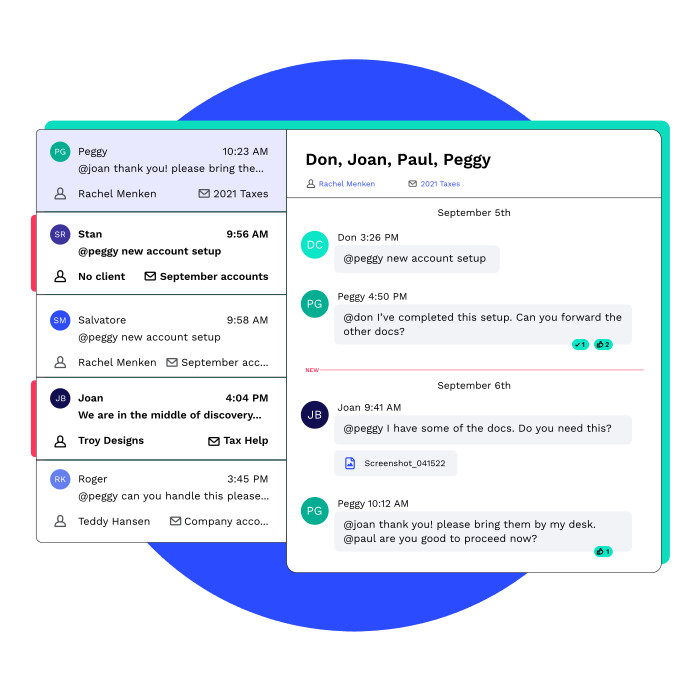
All client emails and internal notes live in one place, so anyone can pick up where a teammate left off
-
Team members can find answers on their own instead of tracking down colleagues for updates
-
High-level views of every engagement turn complex workflows into a clear roadmap, so no deadline or detail slips through the tracks
FIRM SYSTEM OF RECORD
Progress doesn't depend on one person
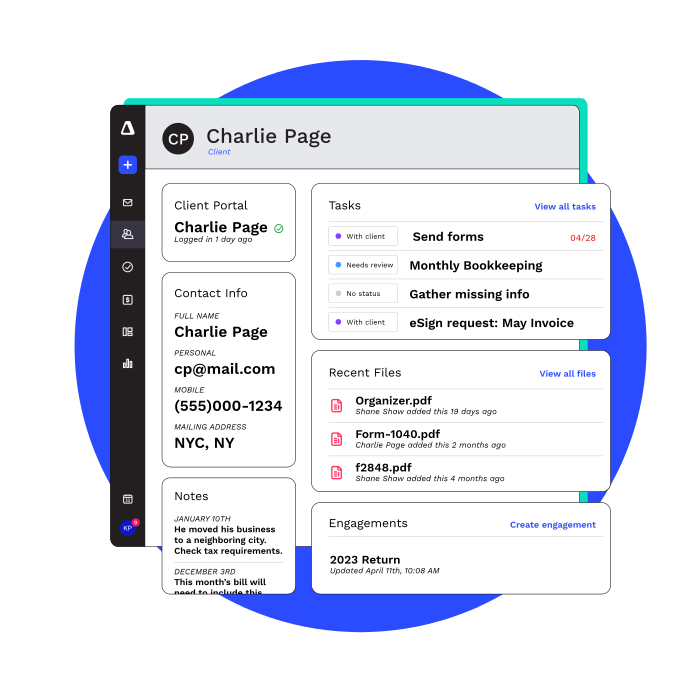
Work shouldn’t stall because key information lives in someone’s inbox or head. In Canopy, everything lives in the client record so anyone can pick up where work left off.
-
Every email, internal note, and document is automatically attached to a single record, providing a complete history that anyone on the team can access
-
Client emails live in a shared workspace (rather than individual inboxes) so no one’s left out of the loop. No more unnecessary silos!
-
New team members or reviewers can jump into any project and get up to speed immediately
-
All workpapers, fillable PDFs, and client uploads are tied to the client record

“To me, the most helpful feature of Canopy is the integration. I love that our firm no longer has to use a ton of different software and with Canopy, everything is now in one place. You can create tasks directly from emails, store client info seamlessly, and communicate with the team on a project. All within one website! ”

“We’ve built our internal processes around Canopy. It’s how we stay organized, communicate with clients, and deliver consistently, whether we’re in the office or working remote. ”
COLLABORATE BETTER
Fewer handoffs, fewer mistakes
Clear ownership, standardized workflows, and automation reduce dropped balls and rework. Like my dad said, “if you don’t make time to do it right, you’ll have to make time to do it over.”
-
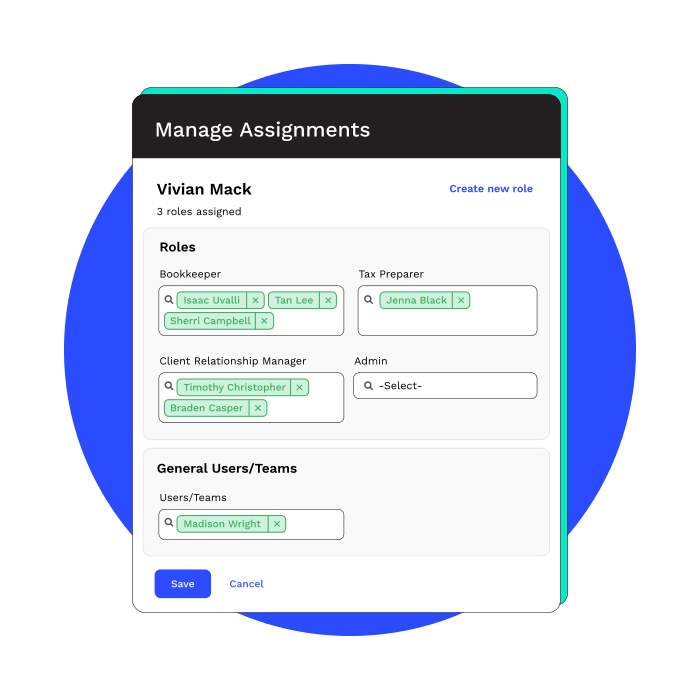
Workflows are standardized with template-based recurring tasks and role-based assignments, including pooled work
-
Automation auto-creates, auto-assigns, and auto-updates based on triggers you define
-
Clear ownership of tasks and subtasks ensure no detail is missed during a transfer
SCALE YOUR FIRM
Collaboration that can (and will) scale
Canopy provides a flexible environment that adapts as your team grows, allowing you to standardize complex processes without adding administrative friction.
-
Build repeatable processes for every service line to ensure every team member follows the same high standard, no matter which office or department they’re in
-
Assign work to specific roles, rather than individuals, ensuring tasks flow to the right person even as your team grows
-
Update statuses, reassign tasks, or roll out new tasks across hundred of clients at once to keep things moving without one-by-one manual updates
Ready to get started?
Frequently Asked Questions
Can’t find the answer you are looking for? Reach out to our support team.
Canopy practice management software centralizes tasks, client records, documents, billing, and communication in one system. Teams see real-time task status, ownership, and deadlines without asking for updates. Canopy reduces internal emails and status meetings by keeping collaboration attached to the work itself.