
ACCOUNTING WORKLOAD MANAGEMENT SOFTWARE
Capacity Planning
Faster, simpler, smarter capacity planning.
-
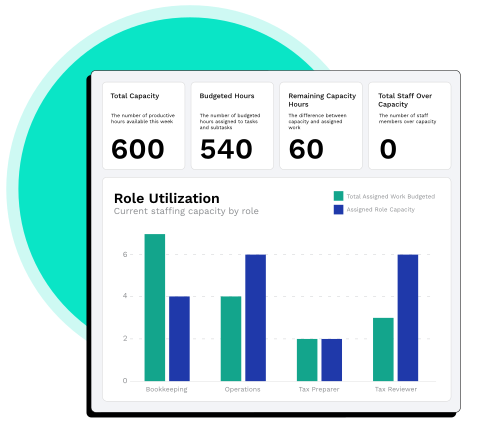
 Instantly see who's over or under capacity
-
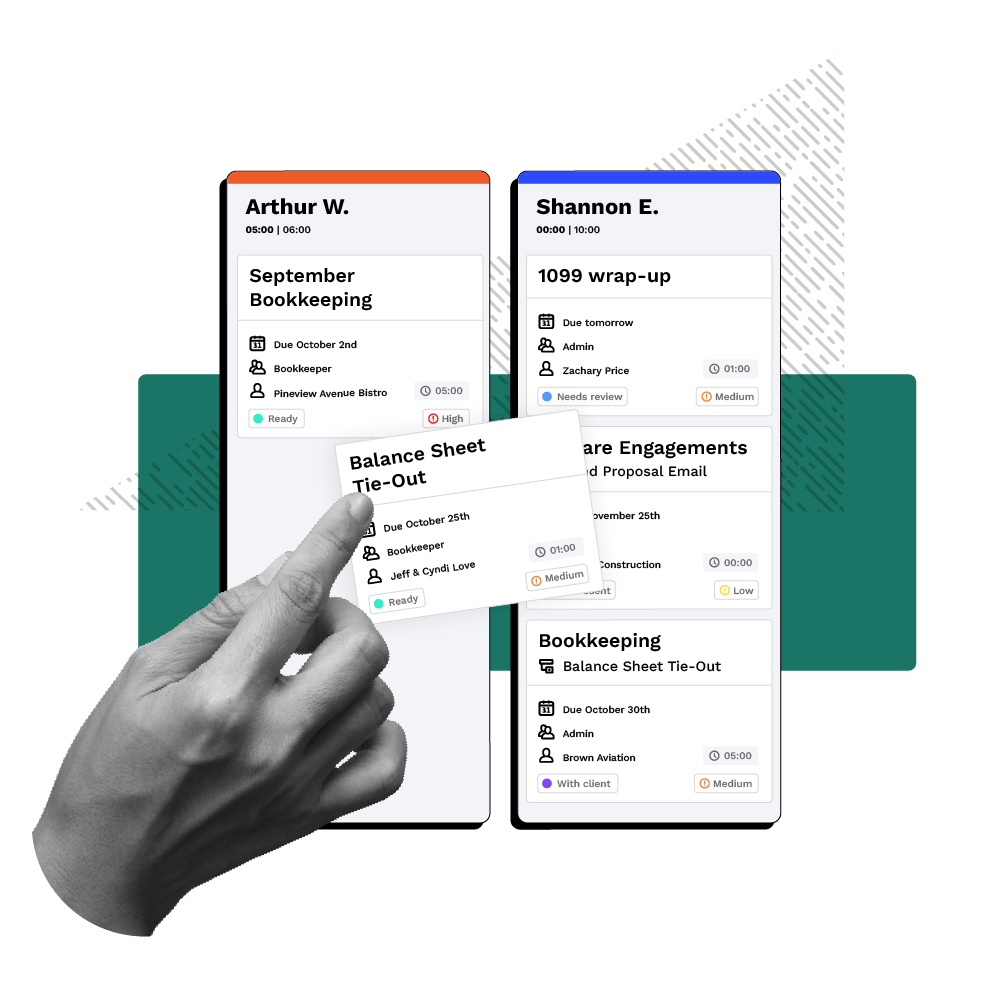
Drag and drop tasks between team members to rebalance workloads; Canopy updates the schedule for you automatically
-
Fewer extra spreadsheets because it's fully integrated into Canopy Workflow
-
Real-time insights help prevent burnout before it starts
-
Canopy Coworker proactively uncovers bottlenecks, identifies overworked staff, reassigns tasks, and anticipates upcoming workloads
“Capacity Planning provides clear task visibility, enabling firms to rebalance work instantly, prevent burnout, eliminate bottlenecks, and keep every client project on task. ”Liz Scott, Accounting Technology Consultant
Avoid Burnout. Exceed Expectations.
Track team capacity in real time and stay ahead of delivery risks
See Capacity Clearly, No Spreadsheet Required
Canopy replaces spreadsheets, scattered tools, and manual check-ins with a real-time Board View that shows each team member’s workload, task assignments, and estimated hours—all in one place.
Rebalance Work in Seconds, Not Hours
Canopy’s drag-and-drop Board View lets you shift work, update assignments, and adjust capacity in real time, all within the Workflow module you already use. No extra tools or steps needed.

Prevent Burnout. Boost Utilization. Keep Everyone In the Know.
Get a live view of team capacity so you can spot imbalances early and shift work before burnout sets in. Keep projects moving and teams aligned. Make your firm a finely-oiled machine while also keeping morale high.
Capacity Management
Smarter Resource Management
Many firms don’t realize who’s overloaded until burnout hits or deadlines slip (or, worse, crash). Canopy gives you visibility so you can shift work, support your team, and deliver a consistent client experience.
-
Two-week dashboard helps you plan ahead with confidence
-
Built into Workflow, no extra tools or setup required
-
All updates sync automatically, no spreadsheets needed
Ready to get started?
Frequently Asked Questions
Can’t find the answer you are looking for? Reach out to our support team.
Kanban boards show task status. Capacity Planning shows people. Canopy’s Board View visualizes each employee’s workload, estimated hours, and assignments — so you can balance work based on real capacity, not just project progress.