
MOBILE APP FOR ACCOUNTING FIRMS
Canopy Mobile App
Accounting firm management can be done from anywhere.


Get work done when and how you want.
Mobile practice management is non-negotiable.

Cloud-Based and Remote Mobile Access
Where there’s Wi-Fi, there can be work. You don’t need your computer to get (or give) quick updates, take notes on the go, or otherwise work remotely on (just spitballing here) the beach.
Accessibility and Flexibility
Mobile means you’re no longer tethered to your computer. You can be doing one thing in Canopy on your laptop while checking another Canopy module on your phone. We’re not saying you can be two places at the same time. But we’re not not saying that.

Secure and Fast
We know how sensitive your data is and treat it accordingly. Rest assured: however you access that data, it’s safe (and quickly accessible) with Canopy.
Practice Management Mobile App
Make your firm modern and accessible.
Firm-Wide Visibility
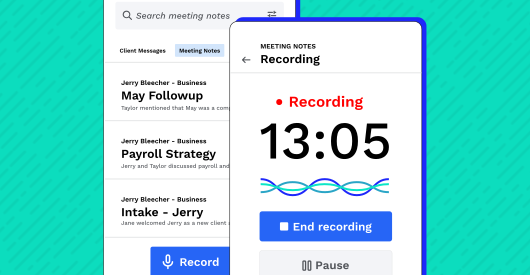
With the mobile meeting recorder you can capture face-to-face client lunches, audit walkthroughs, and spontaneous phone calls right from your iOS or Android device. Just tap record, acknowledge the consent prompt, and stay focused on your client.
- Record and transcribe in-person or phone conversations and attach to the client record automatically
- Structured insights that surface client intent, risks, commitments, and follow-up actions
- Audio saves locally if you lose signal and syncs automatically when connectivity returns
Filter Tasks and Clients
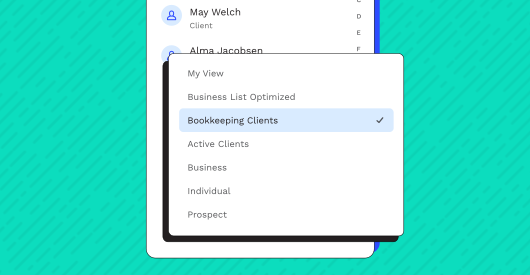
Your firm likely stores a lot of data. To help you find things quickly and efficiently, use the saved filter views to surface the tasks or clients you’re looking for.
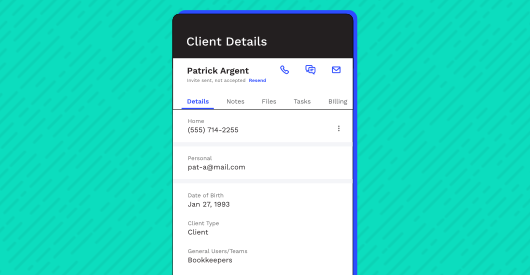
Access Client Information
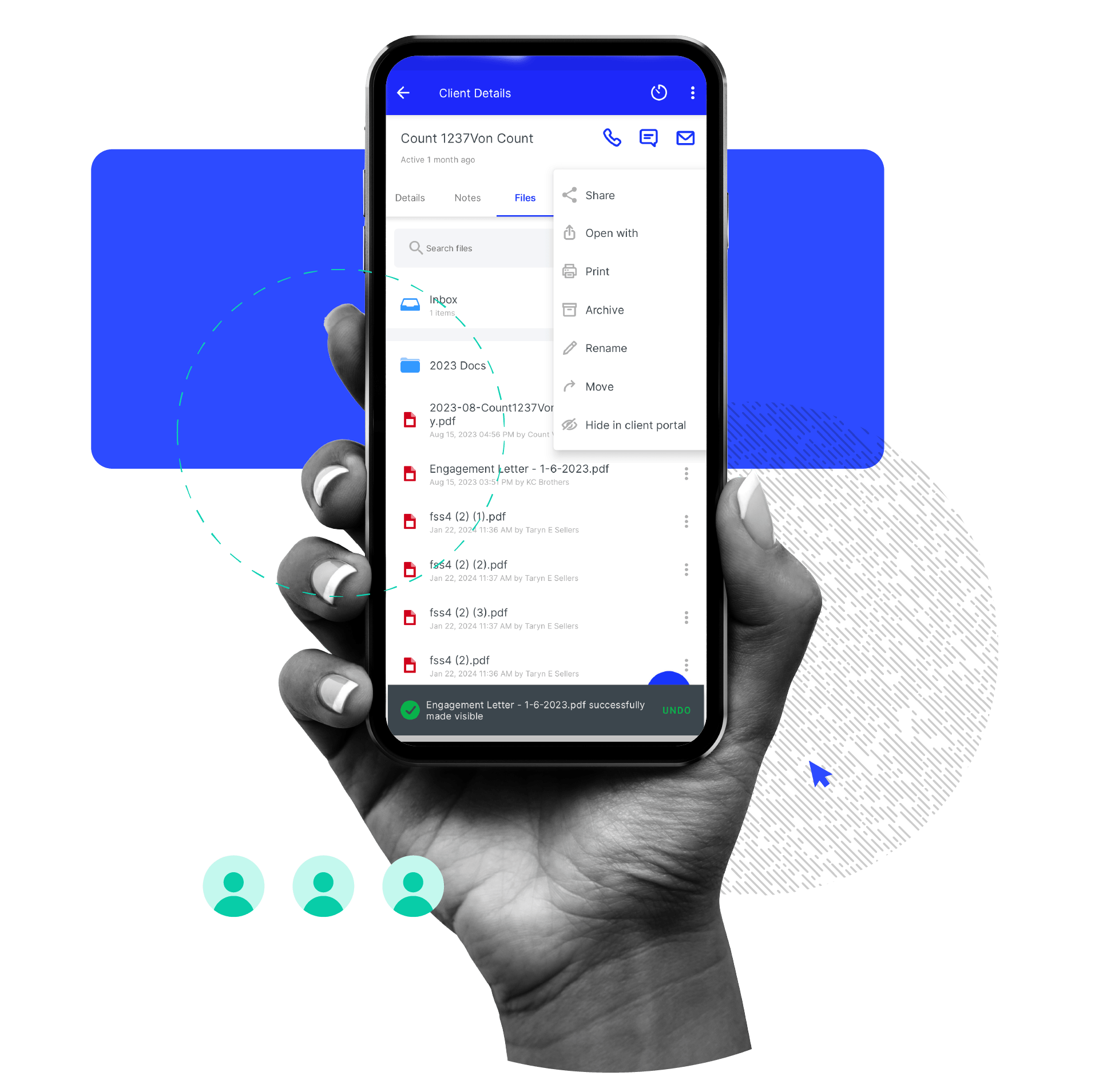
See the full list of clients or access a pre-built filter. Within each profile, you can take care of a multitude of tasks on the go—from sending a client portal invitation to calling or texting your client (no need to store their numbers directly in your personal phone).
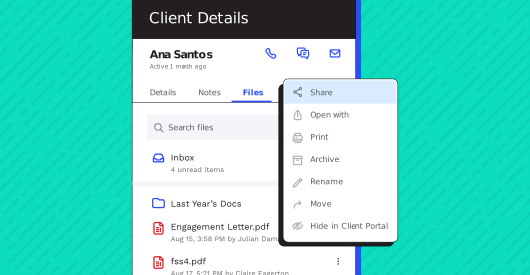
Share Files
Quickly locate files and make them visible for the client in their individual client portal, with a click of your thumb (or index finger, if that’s your thing).
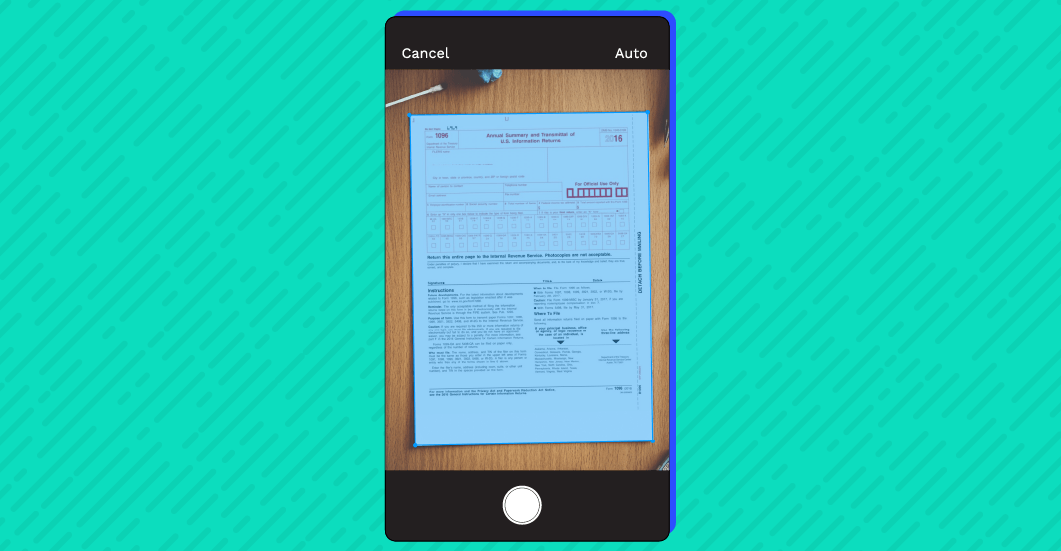
Scan and Upload Files
Capture images of your documents with your phone’s camera and the app will convert them into a professional PDF format (no more screenshots, pictures, or funny file formats). You can also upload images and files individually or multiple at a time from your mobile device or computer from Dropbox, Google Drive, or their hard drive.
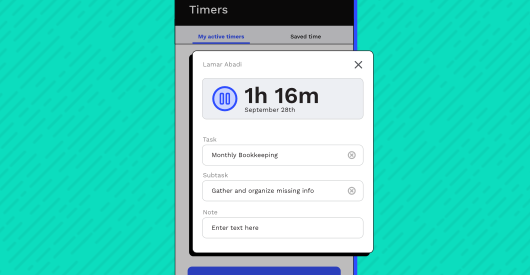
Start Timers
One click and you can start your timer. Fill in the details to associate the timer with a client, task, and subtask at any point as your timer is running.
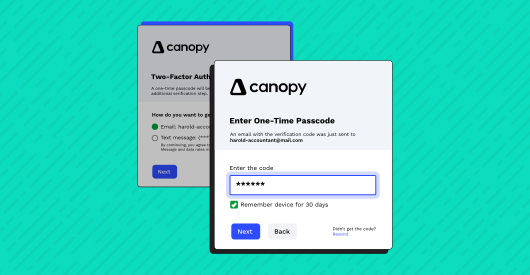
Keep Everything Secure
Users can utilize secure access with multi-factor authentication: web encryption, touch and face ID, and email, text/SMS, and authenticator apps. With multi-factor authentication, you can confidently and securely share and access firm and client data from anywhere.

“Canopy allows me peace of mind when working remotely with Clients who are spread out nationwide as well as globally; it doesn't hurt that I can also work from anywhere that has an internet connection.”
“Only regret I have with Canopy is not making the move sooner… The file management system has really helped our practice to achieve the paperless environment we want, and our clients love the mobile app capabilities.”
“I LOVE that Canopy is an all-in-one stop for all the major functions of my accounting firm. I also like how they continually accept feedback and provide improvements consistently. It's definitely a great product!”
Apps You Will Love
See what our users have to say
Apple iOS Users
4.8 Stars; 900+ Ratings
- “We have been able to adapt really well to Canopy as part of our practice. It’s convenient and practical to have all client info concentrated in one place and to provide them their own login access to the client portal. I tell them that our office provides them with their very own digital file vault where their information is securely stored and accessible at any time.”
- “I feel that I can ask for assistance and [Canopy] doesn’t just provide feedback, [they] literally update the software to fix things that I come across. I’ve never had a company take tech issues so seriously. I feel this last update was just for me.”
Android Users
4.8 Stars; 140+ Ratings
- “A neccesary application if you are doing business virtually!”
- “This software is making our tax office operate so much smoother. It is so nice to have all the info we need in one convenient spot! Even the feedback we give is taken into consideration and implemented quickly.”
- “I like the mobile app even better than the cloud-based app.”
Ready to get started?
Frequently Asked Questions
Can’t find the answer you are looking for? Reach out to our support team.
The Canopy mobile app for accounting firms gives CPAs, tax professionals, and firm staff secure access to their practice management tools—anytime, anywhere. With the Canopy practitioner mobile app, firms can:
-
Access client records, contact details, and get real-time notifications on client activity
-
View and manage tasks, workflows, documents, and client files
-
Send and receive secure client messages as well as call or email clients directly from the app
-
Track time and billing activity
The mobile experience is designed to mirror your firm’s Canopy workspace, so your team can stay connected to clients and work even if they’re away from their desks.