
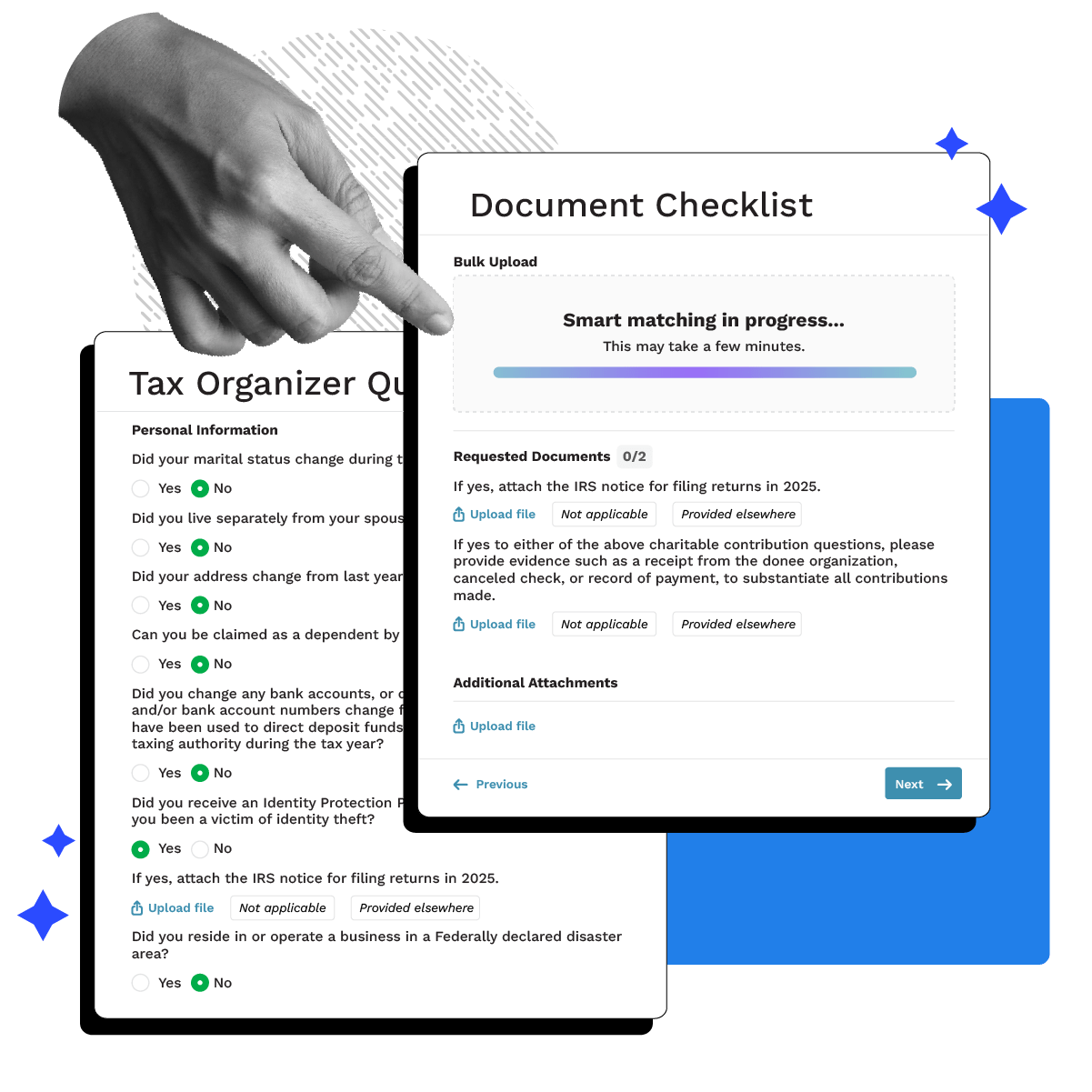
AI-ARCHITECTED CLIENT INTAKE SOFTWARE
Smart Intake
Smart Intake handles client intake, document matching, and the inevitable chase, so you can get to work.
-
 Auto-build checklists based on past returns, services, or CRM data
-
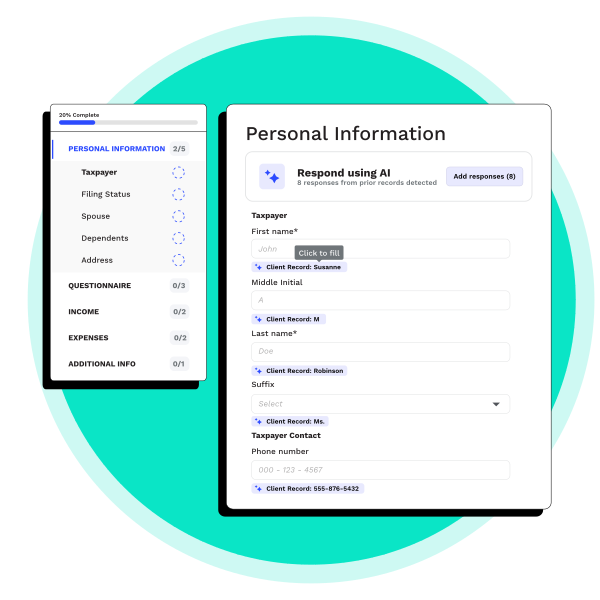
Pre-fill questionnaires with known data and scanned docs
-
Auto-match incoming files to checklist items and track completion in real time
-
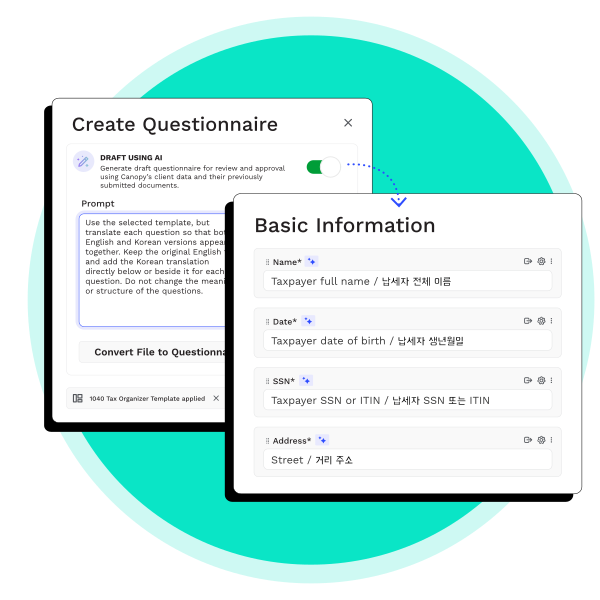
Generates questionnaires and document requests in any language—just tell AI which one to use
“The addition of AI features [to Canopy] has been a huge plus. The AI renaming tool in particular has significantly improved our document workflows and reduced time spent on repetitive tasks. I also really enjoy the Insights dashboard—it gives us access to detailed, actionable reports that help our team make better decisions. Task management is strong overall and keeps things running smoothly.”Mackinley G., IT Manager and Administrative Assistant
Faster Prep. More Capacity.
AI-powered tax prep that fits right into your existing Canopy workflows.

Reduce Errors & Missing Documents
Canopy’s smart checklists, AI-matched uploads, and auto-filled forms work together to eliminate manual data entry mistakes and help ensure you have every document you need from clients right at the start.

Save Valuable Time On Every. Single. Return.
Predictive intake requests, reminders, and document collection let your team stop chasing paperwork & other requests and focus on higher-value (see also: not busywork) work.

Accelerate Onboarding & New Engagements
Clients can submit documents, sign agreements, and provide payment details. For returning clients, Smart Intake auto-fills forms and requests using existing CRM data, saving time for everyone.
Faster Intake, Fewer Mistakes, Happier Clients
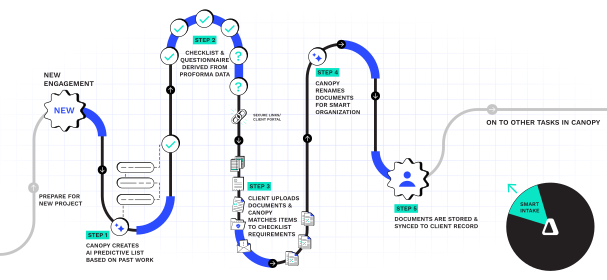
With Smart Intake, every step that follows gets easier. You'll spend less time chasing information and more time getting things done. That elegant graphic over there illustrates how.
Tax Workflow
Customization without all the (ugh) manual-ness
Deliver a 5-star client experience without all of the hands-on busywork. We know you need customization because the more specific and unique your requests are the higher their likelihood of getting done.
-
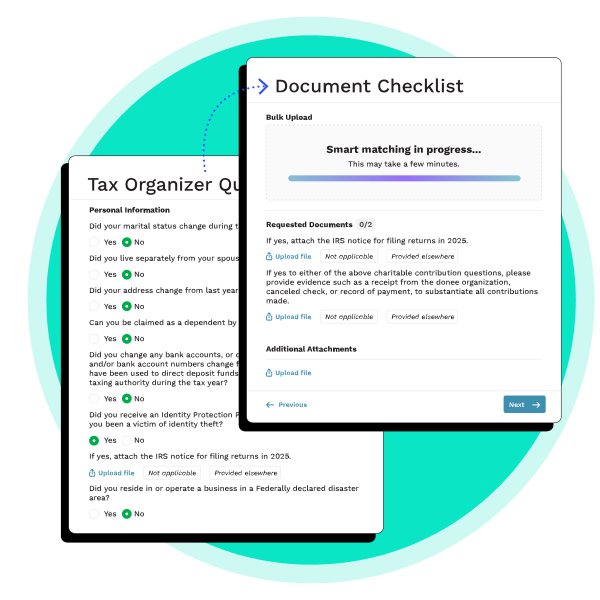
Convert Tax Organizer to digital form: Take the organizer from your tax software and watch AI create it in a matter of minutes, complete with required fields, conditional logic, and various question types.
-
Conditional logic for file requests: When a client answers in a specific way, the questionnaire can follow up with a file request. BONUS: it’ll build a document checklist in real-time that resurfaces at the end of the questions.
-
Secure Links for clients & prospects: Anyone can securely access and respond to Questionnaires. Helping further eliminate paper and manual data entry. See more about secure links
Tax Workflow
Ditch The Endless Back-and-Forth
Automate info-gathering, reminders, and client intake. No manual admin necessary.
-
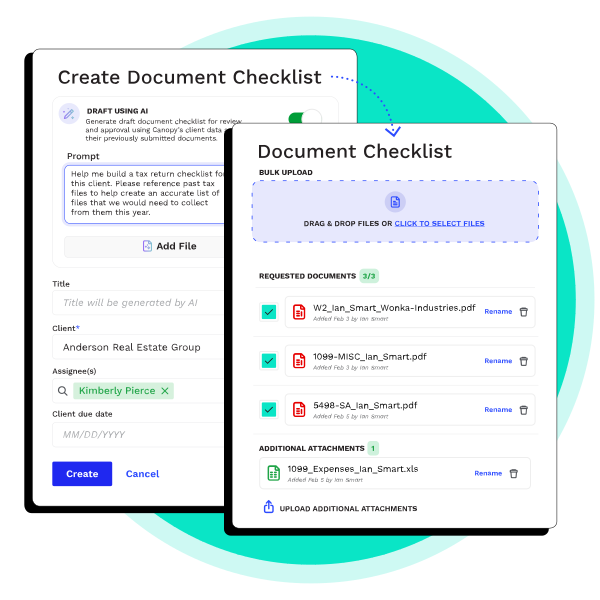
Predictive DRLs & Questionnaires: Automatically generate custom checklists and smart questionnaires for each client using last year’s documents or proforma data.
-
Smart Prep Integration (Coming Soon): Turn collected documents into a draft 1040 automatically, reducing follow-up questions and eliminating manual rekeying before review. Check out Smart Prep
-
AI Document Renaming & Matching: Automatically match client uploads to the right request list items, rename, and classify files instantly based on your firm’s naming rules.
TAX WORKFLOW AUTOMATION
Ridiculously Simple Client Engagement
From smart forms to secure payments, Canopy handles the busywork so you can get down to business faster.
-
Questionnaires & Checklists: Serve up dynamic, personalized questions and document requests—already filled in with info from past engagements or your CRM.
-
Secure Client Portal Links: Clients can handle everything right in the Canopy Portal, or, if they hate passwords, they can use a one-click secure link.
-
eSignatures: Get agreements signed quickly (and securely) with Canopy eSignatures.
-
Payment Info Collection: Securely collect, store, and manage client payment details directly in the portal.
MULTILINGUAL SUPPORT
Language Barriers? Not Here.
Smart Intake makes your intake process smoother for every client, no matter what language they speak.
-
Multi-language intake in seconds: Easily set a client’s preferred language during intake. Canopy handles the rest, including translation behind the scenes.
-
Auto-generates bilingual forms and requests: Canopy creates questionnaires and document request lists in both English and the client’s chosen language. No extra tools or steps required.
-
Keeps things professional without extra work: Deliver a polished, personalized experience for non-English speaking clients. No manual edits or extra software needed.
-
Reduces friction for diverse clients: Clients can read, respond, and upload documents in their preferred language. Intake becomes faster and smoother for everyone.
Ready to get started?
Frequently Asked Questions
Can’t find the answer you are looking for? Reach out to our support team.
Canopy’s AI sorts and matches documents—even if they come in as a messy PDF or in bulk uploads. Less sorting for you, and fewer headaches for everyone.