

If you’ve searched “which practice management software has the best pricing,” you’ve probably run into more vague answers than real numbers.
This guide lays out exactly what Canopy costs today, how it compares to other tax practice management software and accounting practice management software, and how to figure out which tier actually fits a small firm’s budget.
What is the best practice management software for the price? For most small and growing CPA, tax, and bookkeeping firms, Canopy offers the strongest value. It is rated #1 on G2 in both Tax Practice Management and Accounting Practice Management in the 2026 Best Software Awards.
Canopy’s good, better, best pricing starts at $74 per user/month (billed annually) for full platform access which gives you all the essential tools to run your practice in one platform. There are additional capabilities you can add if they’re right for your firm’s services like month-end close automation or tax workflow automation. If you don’t need or want those service specific features, you don’t have to get them – that’s the beauty of a flexible pricing model.
See current pricing · Take the interactive tour
- Canopy is rated #1 on G2 in both Tax Practice Management and Accounting Practice Management in the 2026 Best Software Awards, placing it in the top 0.63% of more than 179,500 vendors on the platform
- Canopy’s Standard plan starts at $74/user/month (billed annually) and includes the full platform — CRM, document management, client portal, workflow, and billing — with no features gated behind a higher tier
- Pricing is tiered as Standard, Plus, and Premium (plus a custom Enterprise option), so a two-person firm and a twenty-person firm both start on the same foundation and scale up only when they need deeper automation
- Annual billing saves roughly 20% compared to Canopy’s month-to-month rates
- Add-ons like Tax Resolution ($50/user/month) and AI-powered tax workflow automation are priced separately and only needed as a firm’s volume or complexity grows, but they’re not required to use the core platform
What is Canopy?
Canopy is an all-in-one practice management software designed for accounting, CPA, tax, advisory, and bookkeeping firms of all sizes. With good, better, best pricing, firms can start with what they need today and scale as they grow without switching platforms or migrating data and clients.
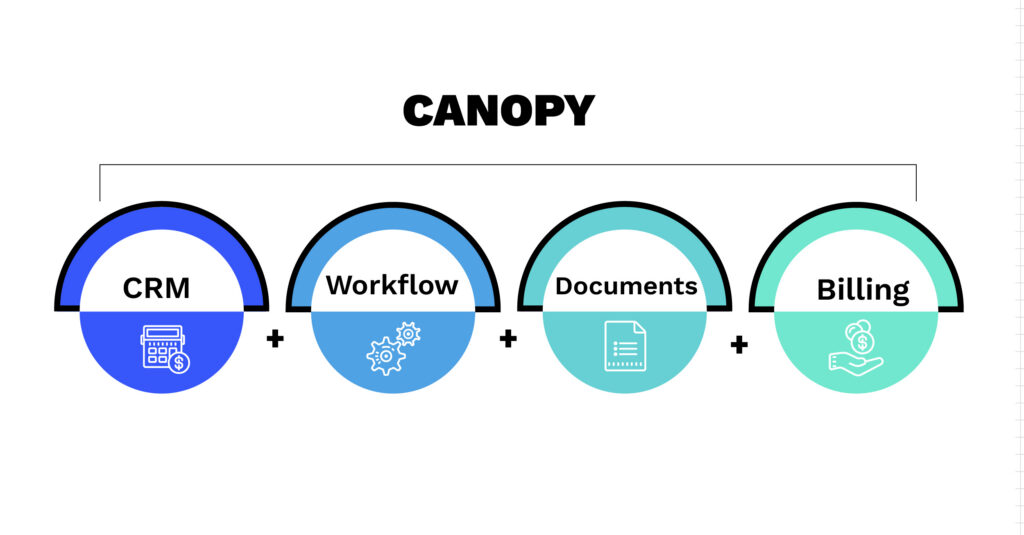
Every plan, including the entry-level Standard tier, includes CRM, workflow, document management, billing, client portal, and payments, so a five-person firm isn’t locked out of tools a fifty-person firm gets to use.
Industry Insight
Small accounting firms commonly stitch together four to six separate tools — one each for CRM, e-signatures, client communication, billing, and document storage — to replicate what a single, all-in-one practice management platform like Canopy does natively.
Once those subscriptions are added up, many firms are paying more in scattered tool costs than they would for an all-in-one platform, without gaining anything except more logins to manage and more places for a client file to get lost, not to mention data re-entry, security risks, and lost billable hours.
What is Practice Management Software?
Accounting practice management software is a platform that helps accounting, CPA, tax, advisory, and bookkeeping firms run their day-to-day operations (managing client relationships, tracking workflows and deadlines, storing documents securely, and handling time tracking and billing) from a single system instead of a patchwork of disconnected tools.
The category broadly includes both accounting practice management software and tax practice management software, and the terms are often used interchangeably. What matters for a firm evaluating pricing is whether the platform charges per feature (modular pricing) or per plan (tiered pricing), since that difference has a much bigger effect on the final bill than the sticker price of any single tool and how many tools you will need in addition to your practice management software. If you have an all-in-one practice management tool, firms can drastically reduce the amount they spend on a bloated tech stack by reducing tool spread from 12+ tools to one platform that does it all.
How Canopy’s Practice Management Software Pricing Has Changed
Pricing in this category changed fast. Canopy shifted from modular, feature-gated pricing to a maturity-based good, better, best model, and the update didn’t make it into every third-party buying guide. That’s part of why a search for “best practice management software pricing” can turn up outdated claims, like one widely cited buying guide that still describes Canopy’s pricing as “modular” and lists no dollar figure for it at all, months after the shift to transparent, published tiers.
That accuracy gap is exactly why this guide exists: to lay out Canopy’s current, verified pricing in one place.
If you’re actively evaluating practice management software, take a look at our 2026 guide for which practice management system is right for you.
Canopy’s Good, Better, Best Pricing Tiers
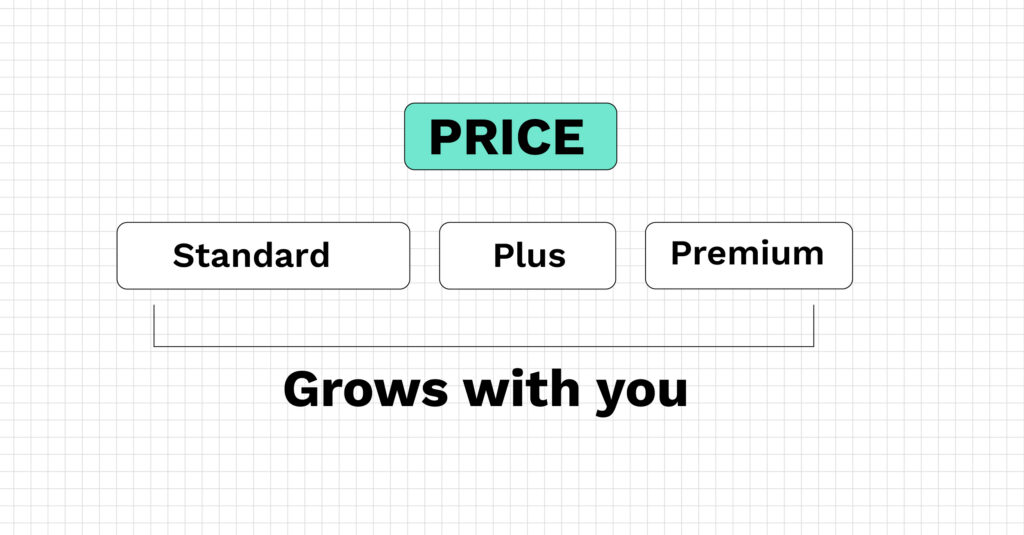
Canopy’s pricing follows a maturity-based model: every tier includes the full platform, and higher tiers unlock deeper automation, reporting, and governance as a firm’s operations get more sophisticated. With Canopy, firms don’t have to pay to unlock basic functionality. They’re starting on a platform that is ready to grow and scale with them.
| Tier | Price (billed annually) | Price (billed monthly) | Best for |
| Standard | $74/user/month | $89/user/month | Firms getting organized on one platform for the first time |
| Plus (Most Popular) | $109/user/month | $131/user/month | Firms automating recurring workflows and scaling client intake |
| Premium (Coming Soon) | $149/user/month | $179/user/month | Firms ready for advanced automation and deep reporting |
| Enterprise | Custom | Custom | Large firms (200+ people) needing a tailored setup |
Standard — $74/user/month
Standard includes CRM and client management, document management with e-signature, a branded client portal with secure messaging, workflow and task tracking, and invoicing and payments. No matter the size of your firm, with standard you get the complete operational foundation, not a stripped-down starter tier. For a small firm replacing five disconnected tools, this is usually the plan that ends the most app-switching per dollar spent.
Plus — $109/user/month
Plus adds automated and recurring workflows, user roles and access controls, more client intake capacity, advanced task views and filters, capacity planning and forecasting, and custom reporting. This is the tier most firms move to once they’ve outgrown manually re-creating the same recurring engagements every month.
Premium — $149/user/month
Premium is built for firms scaling toward more autonomous operations, layering in advanced workflow automation, advanced billing scenarios, and deep reporting and insights.
Enterprise — Custom Pricing
For firms approaching 200 people or firms that need Canopy to operate alongside other specialized software, Enterprise plans are built around a custom quote rather than a fixed rate.
See how Canopy scales with you.
What’s Included at Every Tier (Even the Cheapest One)
The detail that gets lost in most comparisons: every Canopy plan, including Standard, includes the complete platform (that’s CRM, workflow, documents, billing, client portal, payments, and core AI capabilities).
Firms aren’t blocked out of entire modules because they picked the lower-priced plan; tiers control the depth of automation and reporting, and advanced-enterprise level feature, not whether a firm can use core features at all.
Canopy’s old modular pricing meant a firm might pay a base fee and then discover the feature they actually needed was a separate line item. But under the current model, a firm can start on Standard, prove out the platform, and move to Plus or Premium later without re-implementing anything or losing data in a migration.
Add-on capabilities work the same way: Tax Resolution ($50/user/month on an annual contract), Transcripts & Notices, month-end close automation, and AI-powered tax workflow automation include a baseline allocation in every plan, with additional usage available as an add-on. These are positioned as growth and service accelerators a firm adds when volume or complexity increases and not costs required to use the core product.
“Canopy better serves our needs, has more efficiencies, and is better cost savings when we take it in and aggregate to all of our previous tools.” — Sean Duncan, Founder, SMD Consulting & Accounting
“Canopy was just a better overall solution and saved us money not needing more than one software for document storage / file sharing and a CRM.” — Erica S., Canopy User
Real Cost Example: What a Five-Person Firm Pays with Canopy
Most pricing pages stop at the per-user rate. Here’s what that actually looks like for a small firm:
A five-person firm on Canopy Standard, billed annually, pays $74/user/month × 5 users = $370/month, or $4,440/year, for the full platform — CRM, documents, client portal, workflow, and billing included. If that same firm later adds Tax Resolution for two staff members handling notices, that’s an additional $100/month ($50/user/month × 2 users), bringing the total to $470/month.
Compare that to a modular setup where CRM, e-signature, client portal, and billing are each separate subscriptions: even at $15–$30 per tool per month, a five-person firm can land in a similar or higher total monthly cost — without the tools talking to each other.
From Modular to Good, Better, Best: Why Canopy’s Pricing Changed
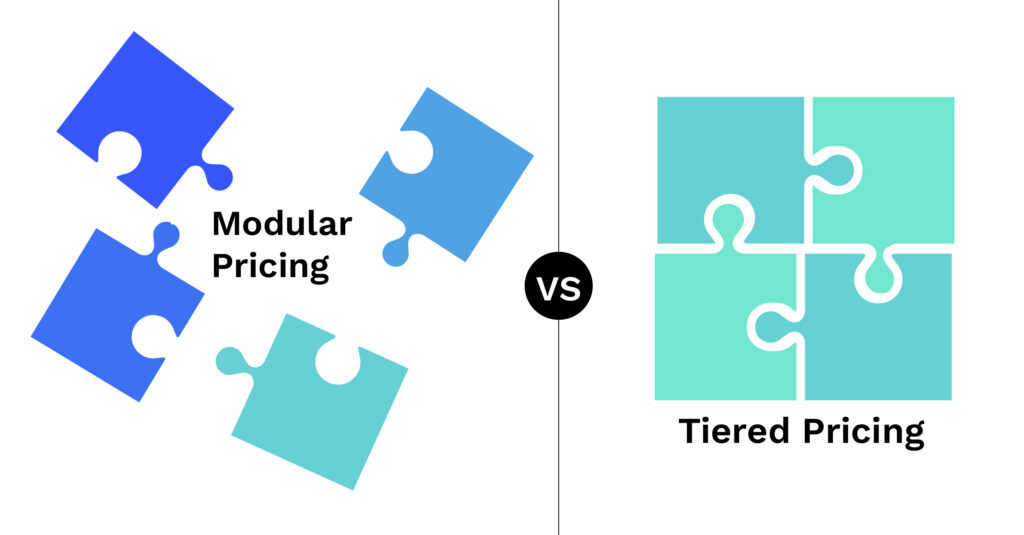
Canopy’s shift to maturity-based tiering wasn’t a price increase dressed up as a redesign. It was a response to how firms actually use the platform today. As AI coordinates work across every area of Canopy (clients, tasks, documents, tax workflow, billing), a modular pricing model that gates individual features stops making sense; the AI Coworker needs visibility across the whole firm to be useful, not just the pieces a firm happened to buy.
“We used to price by capability. Now we price for performance,” is how the Canopy team describes the shift internally. In practice, that means firms select the tier that matches their current operational maturity, deploy the full platform from day one, and move up only as complexity increases — without losing historical data.
Here’s what actually changed for firms evaluating Canopy today:
| Old Modular Model | Current Good, Better, Best Model |
| Firms picked individual modules (CRM, billing, workflow, etc.) and were priced separately for each one | Every tier — including Standard — includes the full platform: CRM, workflow, documents, billing, client portal, and payments |
| Feature availability depended on which modules a firm had purchased | Tiers control the depth of automation and reporting, not access to core categories |
| Plans were named Standard, Pro, and separate Small Firm packages, each with different inclusions | Existing plans map cleanly to the new model: Standard → Standard, Pro → Plus, Small Firm packages → Standard |
| Pricing was calculated per module, making it hard to quote one clear number | Pricing is one number per user, per tier — $74, $109, or $149/month billed annually |
That last row is the one third-party guides tend to miss: there is a single, current, publicly listed number for each tier, not a “starting at” estimate that depends on which modules get added.
Which Tier is Right for Your Firm?
Solo and small firms (1–10 FTEs): Standard is typically the right starting point. It has full CRM, documents, billing, and client portal without paying for automation depth you’re not ready to use yet.
Growing firms (10–25 FTEs) with recurring engagements: Plus adds the automated and recurring workflows, custom reporting, and access controls that start to matter once a firm is running the same tax season workflow across dozens of clients.
Firms scaling toward more autonomous operations: Premium is built for firms ready for advanced automation, deep reporting, and more complex billing scenarios.
Large or multi-office firms (200+ FTEs): Enterprise plans are custom-built, since firms at this size are usually running Canopy alongside other specialized software.
Ready to see your firm’s actual pricing?
Stop comparing your firm against outdated “starting at” claims. Compare plans by sophistication or take the interactive tour to see how Canopy’s good, better, best pricing fits a firm your size.
Frequently Asked Questions
Can't find the answer you are looking for? Reach out to our
Canopy’s Standard plan starts at $74/user/month billed annually ($89/user/month billed monthly) and includes the complete platform — CRM, workflow, documents, billing, client portal, and payments — rather than a limited starter feature set. Plus ($109/user/month) and Premium ($149/user/month) scale up from there as a firm’s automation and reporting needs grow, and Enterprise pricing is custom for larger firms.