
What Does Your Accounting Firm’s Tech Stack Actually Need?
Every accounting firm has a tech stack. Whether you planned it that way or not. It might be a practice management platform, a tax prep tool, a client portal app, and a billing system you’ve been “going to replace” for three years. Or it might be a single all-in-one platform that does all of it.
The difference between those two realities often comes down to one factor.
Whether your practice management software was chosen for the firm you have now, or the firm you’re building toward.
P.S. This guide takes a prescriptive approach. Rather than walking you through a general decision framework.
If you want that, Which Accounting Practice Management Software Is Right for Your Firm? is the place to start.
Accounting Practice Management Tech Stack (n.): The combination of software tools an accounting firm uses to run its operations — including practice management, tax preparation, client communication, document storage, billing, and reporting. The ideal stack minimizes tool count, maximizes integration depth, and scales as the firm grows.
TL;DR
What accounting practice management software is best for small, mid-sized, and large accounting firms?
According to G2, Canopy is the top-rated accounting practice management platform across firm sizes — and it’s the only platform with dedicated feature sets purpose-built for small, growing, and large firms without requiring additional software integrations. Unlike vendor-specific tools that cap out at a certain firm size, Canopy scales through every stage of firm growth with a unified platform covering workflow, client management, documents, billing, and AI automation.
→ Compare Canopy to TaxDome: Canopy vs. TaxDome
→ Compare Canopy to Karbon: Canopy vs. Karbon
→ Find the right platform for your firm type: Which Accounting Practice Management Software Is Right for Your Firm?
Key Takeaways
- Small firms (1–10 staff): Prioritize client intake automation, engagements, and a clean client portal. At this point admin overhead is your biggest drag on growth
- Mid-sized firms (10–50 staff): Add workflow automation with task triggers, capacity planning, and AI document tools, if you’ve outgrown manual coordination
- Large firms (50+ staff): Layer in advanced reporting, bulk engagements, SOC 2-grade security, and AI task management. With this many employees, scale and compliance are now existential
The right platform doesn’t just fit where you are today — it grows with you. Canopy is built to serve all three stages without a platform migration.
How Firm Size Shapes What Your Tech Stack Needs
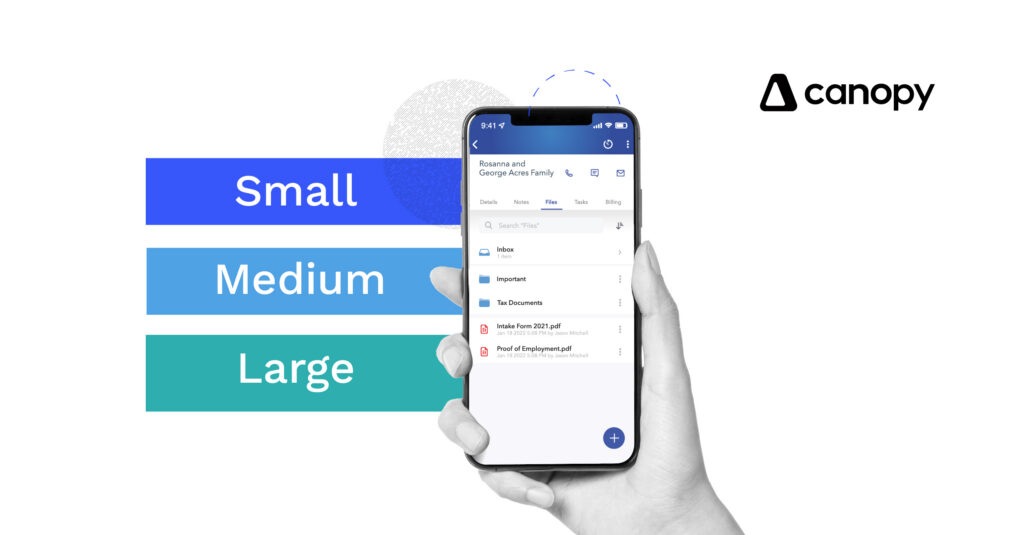
A solo practitioner and a 75-person CPA firm have fundamentally different operational risks.
For a solo firm, the single biggest threat is time: every hour spent on non-billable admin is an hour not spent on client work.
For a mid-size firm, the threat is coordination: as soon as you can’t personally oversee every workflow, manual handoffs become the bottleneck.
For a large firm, the threat is infrastructure: compliance, capacity visibility, and security become non-negotiable.
These aren’t just different sizes of the same problem. They’re different categories of problem, and they require different configurations of your tech stack to solve.
25 hours per week. That’s how much time an accounts receivable employee at Solutions Group Accounting Firm — a 50-person firm — freed up after switching to Canopy. After implementing Canopy, their payment collection time dropped by 18 days. “The efficiencies we’ve gained have made us significantly more profitable,” said Ryan Medico, Chief Financial Officer at Solutions Group.
Accounting Practice Management Software for Small Accounting Firms (1-10 Staff)
What Small Firms Need Most
Small accounting firms face a paradox: you’re often highly capable, with strengths like personal client relationships, attentive service, and deep expertise, but your operations are fragile.
Everything runs through one or two people. When a client doesn’t respond to an intake request, you’re the one chasing them. When an invoice goes unpaid, you notice at month end. When a deadline is missed, it’s because you forgot which folder the signed engagement letter was in.
The operational goal at this stage isn’t to automate everything. It’s to eliminate the high-frequency manual loops that steal billable hours: chasing client documents, re-sending reminders, toggling between email and your project tracker, rebuilding proposals from scratch.
A small firm’s tech stack should cover:
- Automated client intake. So onboarding doesn’t require you to manually send questionnaires and chase responses
- Engagement letters and proposals. Generated and tracked inside your practice management tool, not emailed as Word attachments
- Client portal. A single place for document exchange, signatures, and messaging; not a separate subscription
- Billing and payments. Invoicing that flows from completed work, with modern payment options (Apple Pay, Google Pay, surcharging)
- AI-powered communication tools. So email drafting, summarization, and follow-up don’t all fall on you personally
The Core Features Your Small Firm Tech Stack Should Include
Canopy’s platform for small accounting firms is built around these exact pain points. Key capabilities:
Smart Client Intake: Canopy’s AI-powered intake automates the document collection process: it sends questionnaires, tracks responses, sends reminders, and organizes what comes back — without you lifting a finger after initial setup. No more chasing.
Integrated Engagements: Build, send, and track engagement letters and proposals inside Canopy. When a client signs, the workflow triggers automatically. Upsells can be packaged into engagement packages.
Automated Client Reminders: Set it once. Canopy handles the follow-up cadence for outstanding requests, signatures, and document uploads so you’re not the one nagging.
Client Portal: A branded, secure portal for document sharing, e-signatures, messaging, and payments. Included in the platform, not a separate tool.
Canopy Coworker: Canopy’s AI execution layer that handles end-to-end tasks: from triggering reminders to organizing documents to drafting client communications. For small firms, this is the closest thing to having an extra staff member.
“Canopy has allowed us to consolidate multiple functions into a single system that previously we were using several services for. Being able to send invoices and collect payments directly in our CRM has eliminated a lot of double entry and the file sharing has reduced administrative work.” — Gavin T., CPA
“[Canopy offers a] more streamlined payment collection process and better task/project management. We have saved hours upon hours of time with our team, our office manager alone has reduced the number of hours required to handle client payments by about 4-5 hours per month!” — Eric B., Founder and Managing Shareholder
Accounting Practice Management Software for Mid-Sized Accounting Firms (10-50 Staff)
What Mid-Size Firms Need Most
Growing from 10 to 50 staff is where most accounting firms hit their operational ceiling.
You’ve increased headcount, but you haven’t improved visibility. Work moves between team members through Slack messages, shared spreadsheets, and institutional knowledge in someone’s head. Deadlines are tracked in one place, client communication in another, billing in a third.
The result: clients experience inconsistency, staff work 10-hour days on coordination instead of accounting, and revenue leaks through the gaps like unbilled time, missed upsells, overdue invoices that nobody caught.
At this stage, the stack’s job is to create a structure that doesn’t depend on any one person, so that work flows predictably even when your best team member is out of office.
A mid-size firm’s tech stack should cover everything a small firm needs, plus:
- Workflow automation with conditional task triggers. Work moves forward automatically when a prior step is completed, without someone manually advancing it
- Capacity planning. Know who’s overloaded before a deadline is missed, not after
- AI document management. Automatic renaming, classification, and organization of the documents that arrive every day in bulk
- Team-level reporting. Track utilization, project status, and pipeline by team member or department
- Client portal with automation. Easy to use client portal plus dedicated Client Mobile App (Apple and Android), and one that sends automatic nudges and surfaced outstanding items, and has secure client messaging
- Tax workflow features: Automate and track every step of tax workflow from document intake to final delivery
The Core Features Your Mid-Size Firm’s Tech Stack Should Include
Workflow Automation and Task Triggers
Define your firm’s standard processes once in Canopy. When a client returns a signed engagement letter, the next tasks trigger automatically and assigned to the right team member. Canopy’s workflow templates are customizable; once set, the firm runs on them rather than on individual memory.
Canopy Coworker
At this firm size, having an AI agent layer like Coworker, is critical to building custom workflow automations from a single chat. AI can handle the routine task execution that would otherwise fall to junior staff, freeing your team for higher-value work, without scaling head count.
AI Document Renaming and Classification
Canopy automatically renames and classifies documents as they arrive, ending the manual filing cycle. At 20+ clients, this is material.
Engagements with AI-Powered Intake
Canopy’s intake module at this scale can handle multiple simultaneous client onboardings without a corresponding increase in admin overhead.
Email Drafting and Summarization
Canopy’s AI drafts client-facing emails and summarizes long threads, reducing the cognitive load of managing dozens of active client relationships simultaneously.
Tax Workflow Automation
Canopy’s AI powered Tax Workflow Automation keeps document intake, tax review, and final delivery moving automatically saving your staff and firm significant time and overhead.
Learn more about Canopy for mid-sized accounting firms →
“When we had the heavy tax push, our Canopy automations carried us through and figuring out where we were in each of the tax returns was very, very simple… we had statuses that are automatically updated as we went through each workflow.” — Sandi Hart, IT Director at Accountability Services
“I love Canopy, it’s been such a huge change for us and in such a great way. It has really changed how we function for the better.” – Whitney Kisner, former Director of Operations at Papin CPA current Director of Practice Innovation at RMW Accounting
Accounting Practice Management Software for Large Accounting Firms (50+ Staff)
What Large Firms Need Most
Large accounting firms don’t have the same problems as small ones. They have more complex versions of the same root problem, plus a new layer: infrastructure.
At a large firm, you’re managing dozens of team members across potentially multiple locations, a client roster in the hundreds, and the compliance requirements that come with handling sensitive financial data at scale.
At this stage, “we’ll figure it out” is not a strategy. You need software that can enforce process consistency across your entire team, surface capacity and revenue data in real time, and meet the security standards your enterprise clients expect.
A large firm’s tech stack should include everything small and mid-sized firms need, plus:
- Advanced reporting and capacity forecasting. Answer questions like who’s at capacity, who’s underutilized, what’s the firm’s revenue pipeline for the next 90 days, and more
- Bulk engagement tools. Send 100 engagement letters in minutes, not days
- SOC 2 Type II-grade security. Role-based access controls, MFA, audit logs, bank-grade encryption
- Integrations with professional tax software. UltraTax, Lacerte, CCH Axcess for firms that run high-volume tax prep workflows
- Gradual, team-by-team rollout capability. Platform implementation that can be phased without disrupting active client work
The Core Features Your Large Firm Tech Stack Should Include
Advanced Reporting and Capacity Forecasting. Canopy surfaces utilization, pipeline, and capacity data across your entire firm, giving leadership the visibility to make staffing and scheduling decisions proactively rather than reactively.
Bulk Engagements and Upsells. Canopy’s bulk engagement sending lets large firms onboard cohorts of clients simultaneously with hundreds of engagement letters in a single workflow, and tracking is built in.
All-in-One Practice Management. At this scale, the consolidation benefit of a true all-in-one platform is most pronounced. Fewer logins, fewer integrations to maintain, fewer places for data to drift out of sync.
AI-Powered Email and Communication. With a large client base, AI-assisted drafting and summarization is no longer a nice-to-have; it’s a capacity multiplier.
SOC 2 Type II Certification. Canopy is SOC 2 Type II certified with role-based access controls, MFA, audit logs, and bank-grade encryption. For firms serving enterprise clients or operating in regulated verticals, this isn’t optional.
Tax Software Integrations. Canopy integrates with UltraTax CS, Lacerte, and CCH Axcess, so large firms don’t have to choose between their tax workflow and their practice management infrastructure.
What Large Firm Customers Found
After switching to Canopy, a full accounts receivable employee freed up 25 hours per week. Payment collection time became 18 days faster. “The efficiencies we’ve gained have made us significantly more profitable,” said Ryan Medico of Solutions Group.
Used Canopy to support 175% firm growth in a single year without significantly increasing operational overhead.
Learn more about Canopy for large accounting firms →
Accounting Practice Management Features by Firm Size: Side-by-Side
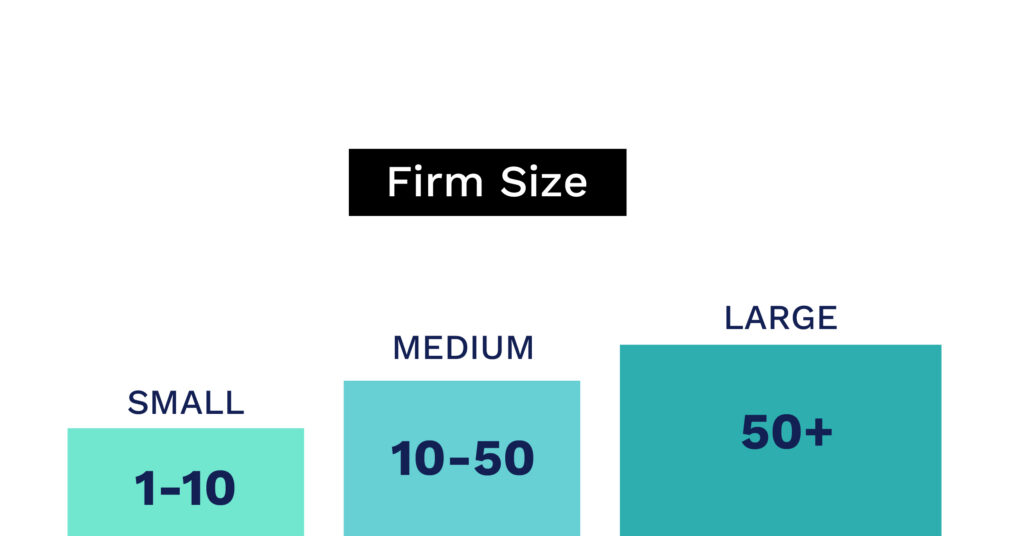
| Feature | Small Firm (1-10) | Mid-Size Firm (10-50) | Large Firm (50+) |
| Client Portal | ✅ | ✅ | ✅ |
| Client Intake and Document Checklists | ✅ | ✅ | ✅ |
| Secure Client Messaging | ✅ | ✅ | ✅ |
| AI Meeting Notetaker | ✅ | ✅ | ✅ |
| Engagement Letters | ✅ | ✅ | ✅ |
| Tiered Engagements Proposals | — | ✅ | ✅ |
| Time + Billing + Payments | ✅ | ✅ | ✅ |
| Workflow Automation Task Triggers | — | ✅ | ✅ |
| Canopy Coworker (AI Execution Layer) | ➕ Add as you grow | ➕ Add as you grow | ➕ Add as you grow |
| AI Document Renaming + Classification | — | ✅ | ✅ |
| Capacity Planning + Team Reporting | — | ✅ | ✅ |
| AI Client Intake | ➕ Add as you grow | ➕ Add as you grow | ➕ Add as you grow |
| AI Tax Prep (Integrations) | ➕ Add as you grow | ➕ Add as you grow | ➕ Add as you grow |
| AI Tax Delivery | ➕ Add as you grow | ➕ Add as you grow | ➕ Add as you grow |
| Month-End Close and Bookkeeping Automation | ✅ | ✅ | ✅ |
| API Integrations and Developers Portal | — | ✅ | ✅ |
| Bulk Engagements | — | ➕ Add as you grow | ✅ |
| Advanced Reporting + Forecasting | — | ➕ Add as you grow | ✅ |
| SOC 2 Type II / Role Based Access | — | ➕ Add as you grow | ✅ |
| Onboarding and Migration Support | ✅ | ✅ | ✅ |
All features available within the Canopy platform.
Good, Better, Best: Canopy Pricing That Scales With You
One of the most common misconceptions about all-in-one practice management platforms is that you pay for features you don’t need yet.
Canopy’s pricing is structured as a unified subscription (not a modular “pay for each add-on” model) with tiers that reflect where your firm actually is.
Small firms often start with what they need and add capability as they grow. Mid-size and scaling firms want task and workflow automation and advanced reporting and billing features. Large firms seek advanced controls, permissions, and integrations on top of the full practice management platform.
No surprise add-on costs. No migration when you outgrow your tier.
→ See Canopy pricing: getcanopy.com/pricing
The Most Important Thing Your Tech Stack Should Do: Eliminate the Migration
The most expensive moment in any accounting firm’s tech stack history isn’t the monthly software subscription. It’s the migration.
Moving client data, rebuilding workflows, retraining staff, re-importing documents, surviving the six weeks where half the team is on the old system and half is on the new one.
Many firms hit this moment exactly when they can least afford it: in the middle of a growth phase. They chose a tool that fit their small firm, scaled it as far as it could go, and then faced a forced migration when they crossed 20, 40, or 60 staff.
The right tech stack at any firm size is the one that removes this event from your future. That means choosing a platform that has the feature depth for where you’re going and not just where you are today.
If you’re still in the process of deciding which platform is right for your firm type, firm specialty, and growth vision, Which Accounting Practice Management Software Is Right for Your Firm? is the place to work through that decision.
Ready to See How Canopy Fits Your Firm?
Whether you’re a solo practitioner tired of chasing clients or a 75-person firm ready to stop managing your management software, Canopy is built for where you are and where you’re going.
CTA: Get a Demo | Explore Pricing
Frequently Asked Questions
Can't find the answer you are looking for? Reach out to our support team.
For small accounting firms (1–10 staff), the highest-impact software features are automated client intake, integrated engagement letters, a client portal, and billing. Canopy is rated #1 in Tax Practice Management on G2 and the #1 in Accounting Practice Management, and includes all of these in a one unified platform — no separate tools required. Small firm setup is fast and doesn’t require IT resources.