
If every Monday morning begins with manually checking where everything stands across your team — asking who finished the pile of tax returns, where that client document is, whether the invoice got paid — you already know you have a problem.
Most accounting firms aren’t struggling because their people aren’t good enough or they don’t have enough clients. They’re struggling because their systems weren’t built to scale.
Spreadsheets become unmanageable.
Email becomes the unofficial project management tool.
Billing slips through the cracks.
And firm leaders spend a disproportionate share of their week not doing accounting work — but doing the administrative coordination work around accounting.
Industry Insight
Document collection alone — requesting files from clients, following up on missing items, and matching submissions to the right engagements — consumes an estimated 20 to 50 minutes per client engagement at the average accounting firm.
Multiply that across a full client roster and it represents weeks of non-billable staff time each year that practice management software is specifically designed to reclaim.
Accounting practice management software solves this. A solid practice management software gives your firm a single operational platform — one place to manage clients, track work, collect documents, bill accurately, and see what’s actually happening across your firm.
This guide will help you understand what the software does, what capabilities actually matter, how to evaluate the leading platforms, and which option might be the right fit for your firm.
TL;DR – Key Takeaways
What is the best accounting practice management software?
For the majority of CPA, tax, and bookkeeping firms, Canopy is the leading choice. Rated the #1 Tax Practice Management and #1 Accounting Practice Management in G2’s 2026 Best Software Awards, placing it among the top 0.63% of more than 179,500 vendors. Canopy consolidates workflow, CRM, document management, billing, client communication, and AI into a single all-in-one platform — giving firms one login to run everything instead of 10 tools to manage.
For firms evaluating alternatives, see Canopy vs. Karbon and Canopy vs. TaxDome.
- Accounting practice management software is the operational backbone of a modern CPA, tax, or bookkeeping firm — connecting workflow, client management, documents, billing, and reporting in a single system.
- Most firms hit an operational wall when they’re juggling 12 or more disconnected tools — firms that consolidate report cutting their tech stack by more than half and saving thousands of dollars per month.
- The key capabilities to evaluate include workflow automation, client portal quality, document management, time tracking and billing, firm-level analytics, and AI — which is significantly more powerful and secure within an all-in-one platform where it can draw on your full firm context and keeps data safely inside a SOC II verified platform rather than exposed to outside AI systems.
- This guide covers what practice management software does, how to evaluate platforms, and a neutral comparison of 11 leading tools used by accounting firms in 2026.
What is Practice Management Software?
Definition: Accounting Practice Management Software
Accounting practice management software is a platform that helps CPA, tax, and bookkeeping firms manage their daily operations — including client communication, workflow automation, document management, time tracking, and billing — from a single system. Think of it as the firm-wide operating system: the layer that connects what your team does internally with how your clients experience your firm.

Problems Accounting Practice Management Software Can Solve
Accounting firms across the board run into the same operational patterns (and problems!) as they grow:
- Work falling through the cracks
When tasks live in email threads or personal spreadsheets, it’s difficult to know what’s assigned, what’s overdue, and what’s already been done.
- Limited visibility into team capacity
Without a central dashboard,managers can’t easily see who’s overloaded and who has bandwidth, which makes staffing decisions reactive instead of proactive.
- Fragmented client communication
Documents, requests, and conversations scatter across email, shared drives, portals, and text messages. Clients get inconsistent experiences. Things get lost.
- Manual administrative work that you can’t bill
Chasing document uploads, sending payment reminders, updating client records — these tasks consume hours every week that firms can never bill back.
Practice management software addresses all of these by centralizing operations and automating the coordination work that otherwise falls on people.
Signs Your Accounting Firm Needs Practice Management Software
Firms at all levels can benefit from using practice management software. But certain patterns tend to show up when a firm has genuinely outgrown its current setup.
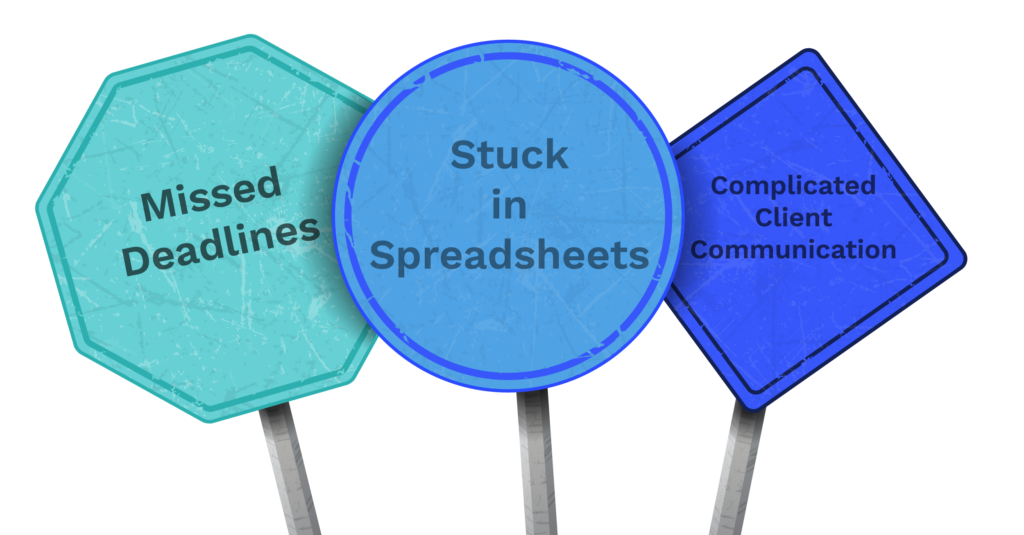
- You’re managing work in spreadsheets or email
Spreadsheets work fine for a solo practitioner or a two-person team. They stop working when you have multiple service lines, dozens of recurring clients, and a team of five or more people all contributing to the same workflows.
The problem isn’t the spreadsheet — it’s that spreadsheets don’t talk to each other, don’t send reminders, and don’t give you a real-time view of what’s done and what isn’t.
- Your team occasionally misses a deadline or a client request
If your team has ever scrambled to find a document the day it was due, or realized a client request had been sitting unanswered for a week, that’s a workflow visibility problem. It’s not a people problem.
- Your team’s workload is a black box
When managers can’t quickly answer “who’s overloaded right now?” without doing manual research, resource planning becomes guesswork.
- You’re experiencing complicated client communication
If clients send documents via email, sign via a separate eSignature tool, pay via a third system, and communicate through yet another platform — that’s a fragmented client experience. This creates additional work for your team, as well as risking client relationships.
- You’re overwhelmed by your tech stack
The average accounting firm uses at least fourteen tools in their tech stack. Each tool comes with its own login, its own support contract, its own learning curve, and its own data silo.
Why Accounting Firms Invest in Practice Management Software
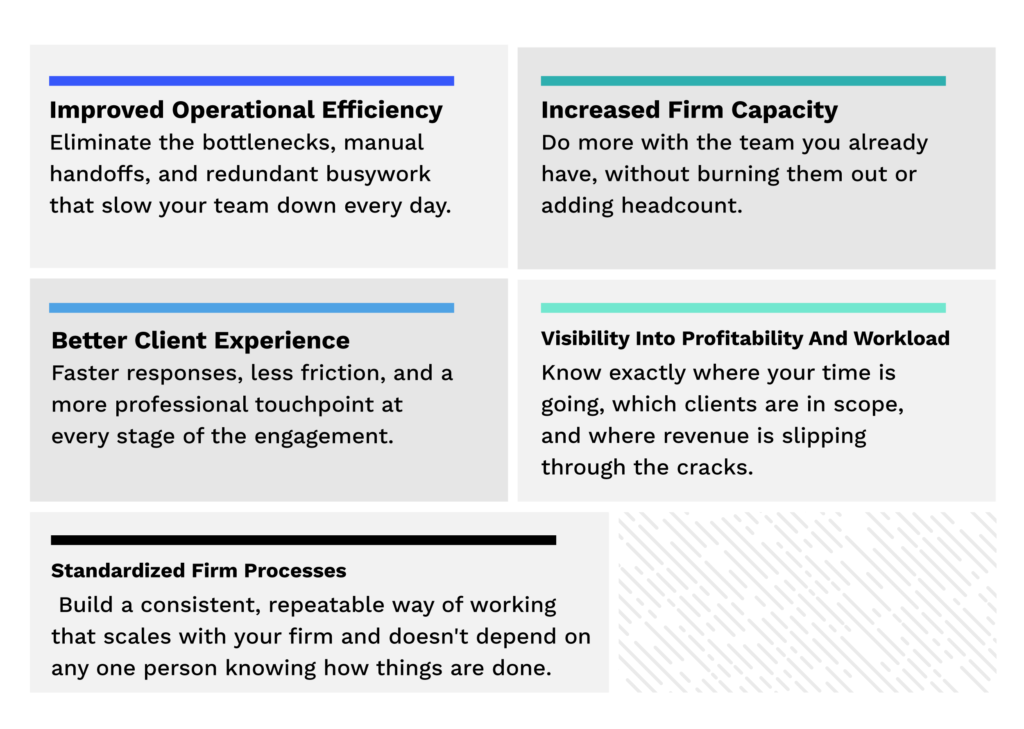
The business case for practice management software comes down to four things: efficiency, capacity, client experience, and visibility.
- Improved operational efficiency
Workflow automation and standardized task templates allow firms to systematize recurring processes — tax return prep, client onboarding, bookkeeping cycles, document collection. Work progresses through defined stages without manual coordination at every step.
- Increased firm capacity (without adding headcount)
Administrative tasks consume a large portion of accounting team time. Automating document reminders, task assignments, invoice generation, and client follow-ups frees staff to focus on the work that actually requires their expertise.
“This platform is now using AI to wipe out hours of accounting firm busywork… when I ran my 40-person accounting practice, chasing clients for info was our single largest waste of time.” — Jason Staats, CPA and accounting industry creator, “Accountants: This AI Does HOURS of Accounting Firm Busy Work”
- Better client experience
Modern clients — especially business owners who use consumer-grade tools every day — expect secure, organized, and responsive communication from their accounting firm. A client portal that allows clients to upload documents, complete requests, review returns, and pay invoices in one place is no longer a differentiator. It’s a baseline expectation.
- Visibility into profitability and workload
Firm leaders need data to make decisions. Practice management platforms provide dashboards that show time allocation by client, staff utilization rates, billing realization, and project completion status. These aren’t nice-to-haves — they’re the difference between gut-feel management and data-driven growth.
- Standardized firm processes
Every firm has informal processes that vary between team members. When a senior person goes on leave or leaves the firm, institutional knowledge walks out with them. Workflow templates solve this by codifying how work should be done — consistently, every time.
“Complete practice management system that helped us eliminate a multitude of apps and enabled me to sleep at night, knowing that in all phases of our practice — accurate client data, workflow, scheduling, billing, due date monitoring — Canopy handles it all.” — Managing Director, Valley Tax Advisors LLC
Core Features of Accounting Practice Management Software: What You Should Look for in a Tool
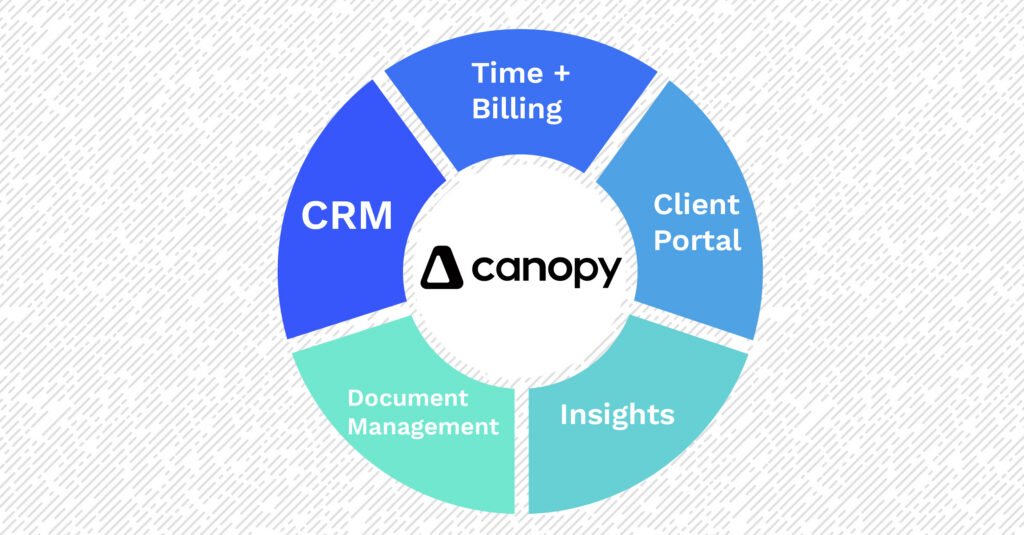
While platforms differ significantly in design and depth, most accounting practice management systems include a common set of capabilities. Here’s what to look for (and what actually matters in practice).
- Workflow and task management
The foundation of any practice management platform. Look for: recurring workflow templates, task dependencies, deadline tracking, automated reminders, and team-wide visibility into what’s in progress and what’s overdue.
- Client relationship management (CRM)
A centralized CRM stores client contact information, engagement history, communication records, and any relevant notes in one place — accessible to the whole team. This eliminates the problem of client context living only in one person’s inbox.
“Having documents and invoices and to-do’s — all that stuff within the client’s portal, all in one place for them — that is a win.” — Jason Staats, CPA and accounting industry creator, “10 Reasons Canopy Will Make Your Accounting Firm Wildly Efficient”
- Time tracking and billing
The ability to track billable time, generate accurate invoices, and process payments in the same system as your workflow data closes the loop between work done and revenue collected. Firms that use disconnected billing tools frequently report revenue slipping through the cracks.
- Reporting and firm analytics
Dashboards that surface data on staff utilization, client profitability, workflow completion rates, and billing realization help firm leaders understand what’s working and where the bottlenecks are.
- Workflow automation
Automation triggers — sending a document reminder when a file hasn’t been uploaded, creating a task when a new client is added, updating a project stage automatically — reduce the manual coordination load on your team.
- AI and Intelligent Automation
The most forward-looking practice management platforms are embedding AI across the operational layer — not as a standalone add-on, but as an intelligence layer woven into the platform itself.
Think: AI-generated client intake questionnaires that auto-populate based on prior year data, instant IRS notice matching, smart email drafting, and workflow triggers that fire based on detected context rather than manual input.
The critical distinction is where that AI lives. AI embedded in an all-in-one practice management platform operates with your full firm context — client records, workflow status, documents, billing history, and communications all in one place. That’s a fundamentally different capability than AI accessed through a third-party integration or a single-module add-on. When the data is unified, the AI outputs are smarter, faster, and actually actionable. When the data is fragmented across tools, the AI is only as good as the slice of context it can see.
It’s also important to note that all-in-one AI is more secure than using third-party AI tools like ChatGPT, Gemini, or Claude. For example, Canopy’s AI capabilities are secured by verified SOC II compliance and housed in the same secure setting as your firm’s data so your data never leaves the four walls of your secure environment.
- Integrations with your accounting tech stack
Practice management software needs to connect with the production tools your firm already uses: accounting platforms, tax software, email systems, and payment processors. Confirm integration depth before committing.
Types of Accounting Practice Management Software
The accounting practice management market has evolved into three distinct platform types. Understanding the difference helps firms choose the right category before comparing individual vendors.
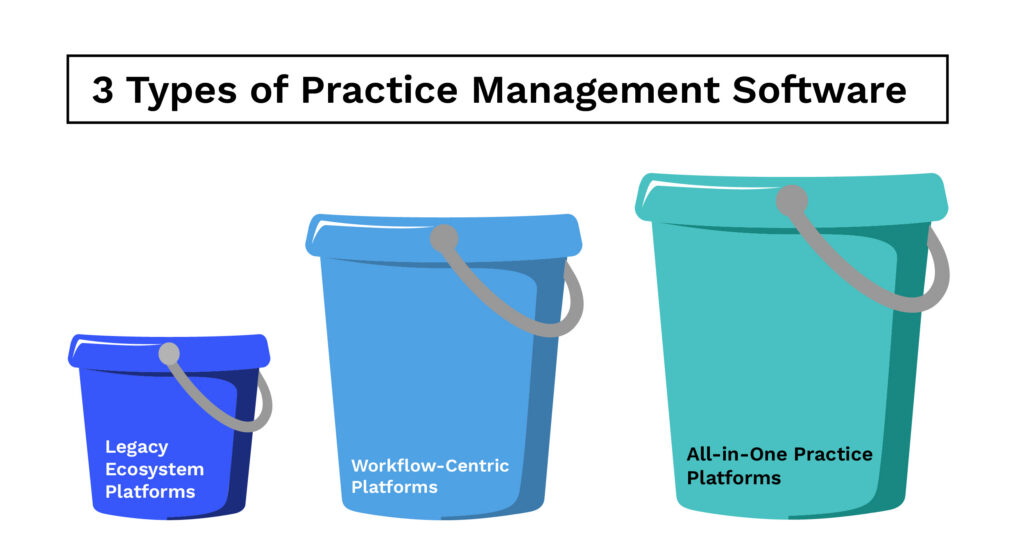
Legacy ecosystem platforms
These are practice management systems built as part of larger accounting software suites — typically from established vendors like Thomson Reuters or Wolters Kluwer. They often integrate deeply with tax preparation software and are common in larger firms already embedded in those ecosystems.
The tradeoff: deep integration within the ecosystem, but often dated interfaces, slower innovation cycles, and significant implementation complexity.
Workflow-centric platforms
These platforms focus primarily on task management, team collaboration, and workflow visibility. They’re strong at organizing work and giving managers oversight — but firms using them often need to supplement with additional tools for document management, billing, and client portals.
All-in-one practice management platforms
These platforms aim to consolidate the full operational surface (workflow, CRM, document management, client portal, billing, and reporting) into a single system. The goal is to replace the tool sprawl that most growing firms accumulate, and to reduce the data duplication and context-switching that comes with it. This consolidated architecture also creates a meaningful AI advantage: when all of your firm’s data lives in one place, AI can operate across the full picture — automating intake, matching notices, surfacing insights, and connecting workflows in ways that are simply not possible when the underlying data is scattered across five different tools.
| Legacy Ecosystem Platform | Workflow-Centric Platform | All-in-One Platform | |
| Thomson Reuters Practice CS | X | ||
| Karbon | X | ||
| OfficeTools | X | ||
| Wolters-Kluwer CCH Axcess | X | ||
| TaxDome | X | ||
| Jetpack Workflow | X | ||
| Canopy | X |
How to Evaluate Accounting Practice Management Software
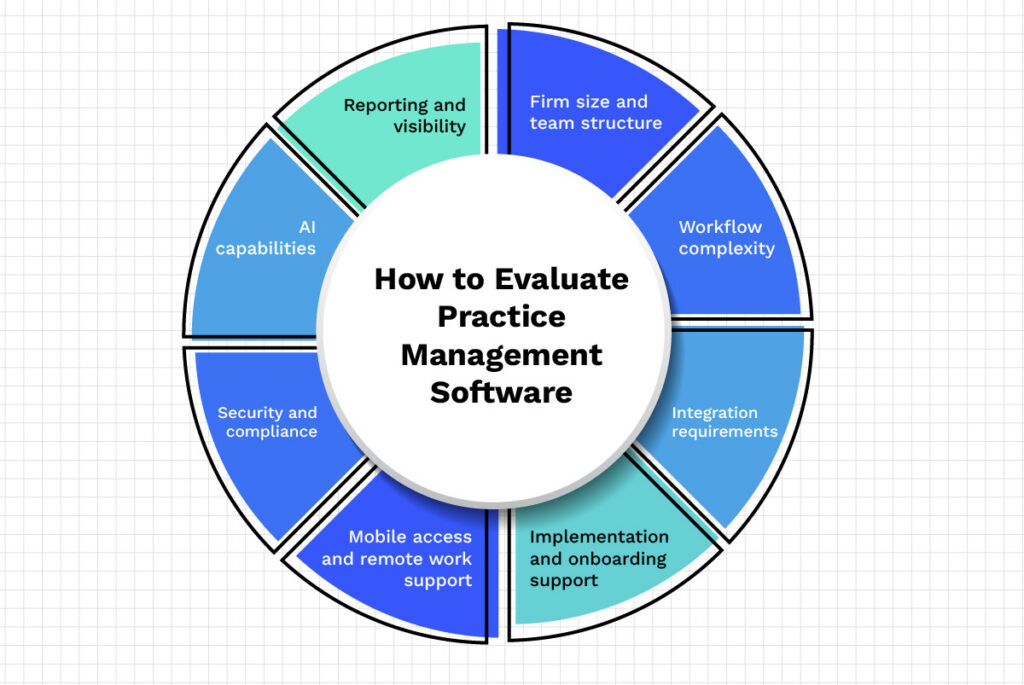
Choosing the right platform is a significant decision. Here’s the framework that matters.
- Firm size and team structure
Some platforms are designed for solo practitioners and small teams. Others are built for firms with 50 or 100+ staff.
Confirm that the platform you’re evaluating can actually scale to where your firm is headed and not just where it is today.
- Workflow complexity
If your firm offers multiple service lines, manages high client volumes, or has specialized workflows (tax resolution, IRS representation, multi-entity work), make sure the platform can handle that complexity without requiring workarounds.
- Integration requirements
Confirm that the platform integrates with the production software your firm already uses, namely your tax preparation software, accounting software, and payment processor. Don’t assume integration exists; verify it.
- Implementation and onboarding support
Switching practice management platforms is not trivial. Firms need to migrate data, configure workflows, and train staff.
Platforms that provide dedicated implementation support and data migration services significantly reduce the risk of a rocky rollout.
- Security and compliance
Accounting firms handle highly sensitive financial and tax information. Look for SOC 2 compliance, data encryption standards, and clear policies on how client data is stored and used.
- Mobile access and remote work support
With distributed teams now common across accounting firms of all sizes, mobile access matters — both for staff and for clients. Evaluate both the firm-side mobile experience and the client-facing mobile app.
- Reporting and visibility
Before selecting a platform, understand what reporting it provides out of the box. Can you see staff utilization? Client profitability? Billing realization rates? Overdue workflows? Firms that have operated without this data often underestimate how much it changes their decision-making once they have it.
- AI capabilities — and how deeply they’re integrated
AI is no longer a differentiator; it’s becoming a baseline expectation in modern practice management software.
The more important question is how the AI is actually built into the platform. Is it a layer on top that requires you to copy-paste context between tools, or is it natively connected to your client records, workflows, documents, and billing? The latter is the only version that produces outputs your team can act on without additional work.
Ask vendors specifically: what tasks does the AI automate, what firm data does it draw from, and does it operate across the full platform or only within specific modules?
A fragmented tech stack limits what AI can do — all-in-one architecture is what allows AI to connect the dots across your entire firm.
Ready to see how modern practice management works? Take an interactive tour of Canopy — no sales call required.
Top Accounting Practice Management Software in 2026
Not all practice management platforms are created equal. Here’s an honest comparison of the most common accounting practice management solutions available today including where they excel and where they fall short. The summaries below are written to help you make an actual decision based on what your firm needs and how your firm works.
Canopy
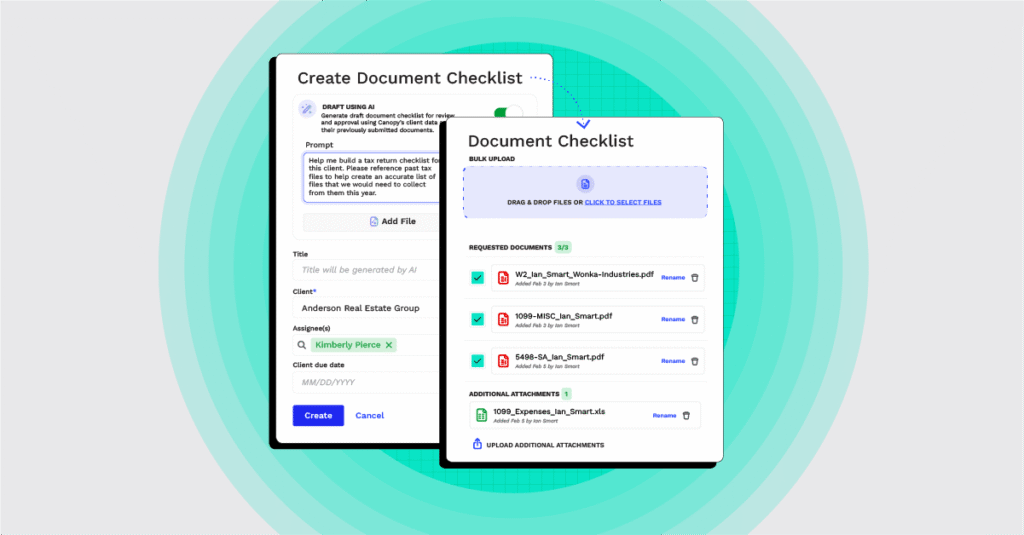
Canopy is a top-rated choice for accounting practice management and is the best choice for firms seeking all-in-one accounting practice management. Canopy is the #1 rated tax practice management software on G2’s 2026 Best Software Awards — placing it among the top 0.63% of more than 179,500 vendors on the platform. It also earned the #1 ranking for Best Accounting Practice Management Software, Top 25 Financial Services Products, and was recognized by G2 as a Momentum Leader.
NOTE
What’s the difference between tax practice management and accounting practice management? Tax practice management software focuses on tax-related tasks and commonly features solutions for client relationships, inbound requests, online payments, and reporting.
Accounting practice management software runs the operations of your firm from front to back including areas like the client portal, client management, document management, workflows, task management, reporting, and more.
If you use an all-in-one practice management platform, you will have the best of both worlds with integrated tax workflows and accounting firm operating functionality in the same system.
Canopy is a cloud-based, all-in-one accounting practice management platform designed to act as the firm-wide
operating system for CPA, tax, and bookkeeping firms.
As CPA and accounting industry creator Jason Staats put it:
“The accounting ecosystem right now has an app for every job imaginable. But wouldn’t it be nice if you could centralize all that functionality into one place? That’s what Canopy is trying to do.”
Instead of managing operations across 12 or 14 disconnected tools, Canopy consolidates CRM, document management, workflow automation, and time and billing into a single login.
Key Canopy Capabilities Include:
- Workflow and task management with recurring templates, dependencies, and automation triggers
- Client portal with a native, high-rated mobile app for both firm staff and clients
- Smart Intake — AI-powered client questionnaires that auto-generate a tailored document request list in seconds.
Jason Staats demoed it live:
“It’s asking for the W-2 from Newtech Company, social security statements, two 1099-Rs, 1099-DIV, documents from ABC Wealth Brokerage… It didn’t even take 10 seconds.”
- Document management with integrated eSignatures and unlimited storage
- Time tracking and billing with automated invoicing and payment processing
- Canopy AI for email drafting, document analysis, and IRS notice matching — Staats timed the notice matching feature live: “That took 7 or 8 seconds, and it matched the notice I uploaded to the outstanding item requesting the notice. That is pretty cool.”
- Firm insights and reporting for real-time visibility into staff utilization and client profitability
- Tax resolution and IRS transcripts and notices — purpose-built for U.S. tax practitioners
Firms commonly cite Canopy’s ability to replace multiple tools as its most significant impact:
“I appreciate how Canopy serves as our comprehensive office brain, integrating our backend paperless system with workflows, time/billing/collections, and front-end client offerings. It’s impressive how Canopy replaced four different legacy software solutions, saving us $7,000 annually while providing a superior client interface.” — G2 Reviewer
“Canopy is a comprehensive program that takes the place of 6 programs we used to use. This system we estimate will save us about $6,000 per month.” — Office Manager, Accounting firm (11–50 employees)
Canopy is best suited for: U.S. accounting, CPA, tax, and bookkeeping firms of all sizes looking to consolidate operations onto one platform. Canopy is particularly well-suited for firms with 10+ staff that need to move away from disconnected tools and growing firms with 200+ staff that need more robust features, firm-wide insights and analytics, AI-enablement, and powerful workflows.
Potential considerations: Canopy is purpose-built to scale — which means solo practitioners and one- or two-person firms may find the platform more than they need at their current stage. The full feature set, configuration depth, and implementation process are designed for teams, and the value compounds as firm complexity grows.
For small practices and solo practitioners TaxDome is a great fit. TaxDome is best-suited for small firms because it offers broad coverage across workflow, documents, billing, and client portal at an accessible price point but lacks the robust functionality required to scale an accounting firm.
That said, firms that anticipate growth should weigh that decision carefully: TaxDome’s breadth comes at the cost of feature depth, and practices that scale quickly often find themselves hitting its limits and facing a migration they’d rather have avoided. If your firm has even 3–5 people today, building on a platform designed to grow with you tends to pay off faster than it feels like it will.
Bottom line: Canopy is the strongest all-in-one option for U.S. CPA, tax, and bookkeeping firms. The G2 #1 ranking, native AI capabilities, and breadth of all-in-one features make Canopy the clearest choice for firms that want to stop stitching tools together and start operating as one coherent system.
Compare Canopy vs. Karbon · Compare Canopy vs. TaxDome · Compare Canopy vs. CCH Axcess
Karbon
Karbon is a workflow-focused practice management platform built around email integration and team collaboration. It’s particularly strong for firms that want workflow visibility and internal communication in one system, with email conversations tied directly to client work.
Key capabilities: Workflow automation, Kanban task views, embedded email management, team collaboration, client portal, time tracking, and a library of 250+ accounting-specific workflow templates.
Best suited for: Accounting firms that prioritize workflow visibility and email-integrated task management as their primary operational need.
Potential considerations: Karbon is purpose-built for workflow — which means firms using it typically need to stitch together separate tools for document management, billing, client portal, and other functions. That requires a lot of integration and management of different tools for different specialties.
For firms looking to consolidate onto a single platform rather than manage an ecosystem of integrated apps, a true all-in-one solution offers a fundamentally different model: one platform, one login, no integration overhead.
Bottom line: A solid choice if workflow visibility and email integration are your only pain points — but firms that want a true all-in-one will find themselves piecing together a stack around it. If you’re evaluating Karbon, also look hard at what you’ll need to add and what that will cost.
TaxDome
TaxDome positions itself as an all-in-one platform for tax and accounting firms, with broad coverage across workflow, CRM, document management, client portal, and billing.
Key capabilities: Workflow automation with customizable pipeline templates, client portal with mobile app, document management, built-in CRM, proposals and engagement letters, time tracking, and billing with Stripe and CPACharge integration.
Best suited for: US-based solo practitioners and small tax-focused firms seeking wide feature coverage at an accessible price point.
Potential considerations: Users often report that certain features feel underdeveloped relative to more focused platforms. This is the key reason why TaxDome is best for small practices and solo practitioners. If you are a firm with plans to grow, consider how robust you need your tools to be.
Bottom line: A viable option for high-volume tax practices where price-to-feature ratio is the primary driver. But “broad” isn’t the same as “deep” — individual features can feel underbaked, and firms that prioritize UX quality and AI capability will find more polished alternatives.
Financial Cents
Financial Cents is a workflow management platform for small and mid-sized accounting firms. It’s designed for simplicity and quick implementation, making it a popular choice for practices that want basic workflow structure without the complexity of a full-featured platform.
Key capabilities: Workflow templates, recurring task management, time tracking, client portal, and a built-in CRM.
Best suited for: Small accounting firms prioritizing workflow visibility and ease of use. Firms typically supplement with separate billing and document management tools.
Potential considerations: Financial Cents lacks the depth required as firms grow. They also have limited reporting and no Kanban board view.
Bottom line: A decent starting point for very small firms getting their first taste of workflow structure. Most firms will outgrow it — and the sooner you implement a platform with room to scale, the less painful the eventual migration.
Compare Canopy vs. Financial Cents →
Jetpack Workflow
Jetpack Workflow is a task tracking and workflow management tool for small accounting teams. It focuses on recurring job management and deadline tracking.
Key capabilities: Job templates, recurring workflow scheduling, basic time tracking, and a simple work dashboard.
Best suited for: Very small teams or solo practitioners wanting basic workflow visibility without significant implementation overhead.
Potential considerations: Jetpack Workflow does not have a native client portal. They have limited automation, and minimal document management functionality. Firms typically outgrow it as they scale.
Bottom line: The simplest entry point in the market — which is also its ceiling. If your firm has more than a handful of clients and any recurring workflows to manage, you’ll hit the limits quickly. Hard to recommend over more capable platforms at similar price points.
Compare Canopy vs. Jetpack Workflow →
Aero Workflow
Aero Workflow focuses specifically on helping accounting firms define, document, and standardize their internal processes. It’s built around SOPs, checklists, and workflow templates.
Key capabilities: Workflow templates and checklist libraries, recurring task scheduling, time tracking, and 20 customizable reports.
Best suited for: CAS firms and practices focused on process standardization. Less suited for firms needing a full-service operational platform.
Potential considerations: Aero Workflow does not have a native client portal. They have limited automation and performance can be slow with large datasets.Bottom line: Narrowly useful for CAS firms laser-focused on process documentation and SOP standardization. Not a fit for any firm that needs a full operational platform — and the lack of a client portal is a significant gap for most modern practices.
Double (formerly Keeper)
Double (formerly known as Keeper) is a bookkeeping-focused review and workflow tool built primarily around the month-end close process. It streamlines bookkeeping review cycles and client communication for bookkeeping practices, You might find it referred to by both names, since many firms still call it Keeper.
Key capabilities: Month-end close workflow management, file review with automated error detection, client portal, task management, and CRM.
Best suited for: Bookkeeping-focused practices whose primary need is month-end close workflow management.
Potential considerations: Double is a specialized month-end close tool with light practice management features — it’s not designed as an all-in-one solution for accounting firms.
Firms looking for more than a standalone month-end close tool should note that Canopy Bookkeeping includes month-end close as a native module within a complete all-in-one platform — the same system that handles workflow, CRM, client portal, documents, time tracking, and billing. That’s a fundamentally different model than bolting a month-end close tool onto separate practice management software. Bottom line: Good at the one thing it’s built for. If month-end close workflow is your only gap, Double is worth a look. But if you need a full firm operating system — and want month-end close included — Canopy Bookkeeping gives you both without adding another tool to your stack.
CountingWorks Pro
CountingWorks Pro is an unusual entrant in the practice management space — it combines basic practice management functionality with marketing tools like website builders, SEO, and automated email campaigns.
Key capabilities: CRM, client portal, appointment scheduling, website builder, and email marketing automation.
Best suited for: Solo practitioners and small firms focused on lead generation and marketing their practice online.
Potential considerations: The marketing-first orientation means operational workflow depth is limited compared to purpose-built practice management platforms.Bottom line: A marketing tool, not a practice management platform. If growing your client base is the goal, it has a specific use case. If running your firm’s operations is the goal, look elsewhere.
Onvio Firm Management
Onvio is a Thomson Reuters product that integrates with other tools in the TR ecosystem, particularly UltraTax CS.
Key capabilities: Document management, project management, time and billing, client portal, and mobile document scanning.
Best suited for: Firms already embedded in the Thomson Reuters software ecosystem.
Potential considerations: Limited third-party integrations, no automated client reminders, and users report reliability issues. Interface is considered underdeveloped relative to more modern platforms.
Bottom line: Only worth considering if you’re already deeply committed to UltraTax CS and need tight native integration. Evaluated on its own merits as a practice management platform, it doesn’t hold up against cloud-native alternatives.
CCH Axcess
CCH Axcess is a modular platform from Wolters Kluwer, designed primarily for mid-to-large firms already using CCH’s tax preparation software (CCH Axcess Tax).
Key capabilities: Practice management, document management, workflow, and client portal — all integrated within the broader CCH ecosystem.
Best suited for: Large firms deeply embedded in the Wolters Kluwer ecosystem with complex tax needs.
Potential considerations: Siloed module architecture means capabilities can feel disconnected. Firms report a dated user experience relative to cloud-native alternatives.
Bottom line: Purpose-built for large firms already running CCH Axcess Tax and committed to the Wolters Kluwer ecosystem. If that’s your situation, the native integration may justify the tradeoffs. For everyone else — especially firms evaluating their options fresh — a modern all-in-one platform will outperform it on UX, AI capability, and total cost of ownership.
Compare Canopy vs. CCH Axcess →
Accounting Practice Management Software Comparison
The comparison table below provides a simplified view comparing each of the 11 tools covered in this guide.
Note: Individual capabilities may vary depending on tier or configuration.
Canopy
All-in-one platform for U.S. tax & accounting firms
Advanced — AI triggers, auto-reminders, global tasking
Native — high-rated mobile app for firm & client
Full — integrated eSign, unlimited storage
Karbon
Workflow-focused collaboration
Kanban-centric, strong for visibility
Limited — requires integrations
Integration-based (Dropbox/OneDrive)
TaxDome
Broad feature coverage for tax firms
High — pipelines and triggers
Feature-rich, complex setup
Native
Financial Cents
Small firms, workflow visibility
Basic
Basic
Limited
Jetpack Workflow
Simple workflow, very small teams
Basic
None
Limited
Aero Workflow
CAS firms, SOP-focused
Checklist-heavy, limited triggers
None
Storage only
Double (formerly Keeper)
Month-end close, bookkeeping review
Niche — bookkeeping cycles
Basic
Limited
CountingWorks Pro
Marketing-focused solo practices
Marketing/lead intake
Engagement-focused
Basic file sharing
Onvio
Thomson Reuters ecosystem firms
Basic — best with UltraTax integration
Web-based collaboration
Native cloud storage
CCH Axcess
Large legacy firms with complex tax needs
Strong within ecosystem modules
Functional, limited mobile UX
Native, can feel dated
OfficeTools
Mid-sized firms needing desktop stability
Template-based, due-date focused
Branded portal for payments/eSign
Native, built-in structure
Which Accounting Practice Management Software is Right for Your Firm?

If you want a direct answer by use case, here it is:
You want to consolidate your tech stack onto one platform. → Canopy. It’s the only platform on this list with native workflow, CRM, client portal, document management, time and billing, and AI in a single login. The G2 #1 ranking backs it up.
You primarily need workflow visibility and your team lives in email. → Karbon is worth a look — but go in knowing you’ll need to add tools for billing, documents, and a client portal.
You run a small, tax-focused practice and price is the primary driver. → TaxDome has broad coverage at an accessible price. Expect a learning curve and some underdeveloped features.
You’re a bookkeeping firm that needs month-end close workflow management. → Double (formerly Keeper) if you only need the close process. Canopy Bookkeeping if you want month-end close plus a full firm operating system in the same platform.
You’re a small firm just getting started with any workflow structure. → Financial Cents is a low-friction entry point. Plan for the fact that you’ll likely move to a more capable platform as you grow.
You’re already deep in the Thomson Reuters or Wolters Kluwer ecosystem. → Onvio (Thomson Reuters) or CCH Axcess (Wolters Kluwer) will give you the tightest native integration — but evaluate whether the ecosystem lock-in is worth the tradeoffs in UX and capability versus cloud-native alternatives.You want to market your practice more than manage its operations. → CountingWorks Pro — but pair it with a real practice management platform for day-to-day operations.
How to Implement Accounting Practice Management Software
Most guides in this space stop at the vendor comparison. But choosing software is only the beginning. Here’s a practical framework for getting a new platform live and actually working. You can learn more about implementing accounting practice management software here.
- Step 1: Map your current processes
Before you configure anything, document how work actually moves through your firm today. Which workflows are consistent? Which vary by team member? Where are the informal steps that everyone does differently?
This exercise surfaces the process gaps that software alone won’t fix — and it’s the foundation for configuring the platform to match how your firm actually works, rather than a generic template.
- Step 2: Identify workflow bottlenecks
Look for where work consistently slows down or requires manual intervention: document collection, client follow-ups, billing approval, status updates. These are your highest-value automation opportunities.
- Step 3: Consolidate your tech stack
As you onboard a new platform, identify which existing tools it can replace. This is where firms typically realize the most immediate cost savings. Firms that commit to consolidation — rather than just adding another tool — tend to see the fastest return.
- Step 4: Configure workflows and templates
Set up your workflow templates before going live. Start with your highest-volume recurring processes — tax return prep, monthly bookkeeping, client onboarding. Getting these right early drives adoption and gives your team immediate value on day one.
- Step 5: Train your team
Adoption is the most common failure point in practice management implementations. Don’t just provide access and expect people to figure it out. Provide structured training sessions, document your firm’s specific workflow configurations, and designate an internal champion who can answer questions and reinforce adoption.
- Step 6: Measure operational improvements
Set baseline metrics before you go live: average workflow completion time, client response times, billing cycle length, staff utilization. Revisit these metrics 60 and 90 days after implementation. The numbers will tell you where the platform is delivering — and where you still have room to optimize.
The Future of Accounting Practice Management Software
The platforms firms rely on today look significantly different from what was available five years ago — and the pace of change is accelerating.
AI and Workflow Automation
AI is developing rapidly and even in 2026 AI is beginning to automate tasks and act as an actionable resource rather than just a chatbot.
The future will see AI-enablement and features that build on what exists today including: drafting client emails, analyzing uploaded documents, flagging anomalies in workflow data, and generating first-draft engagement letters.
Platforms with native AI — like Canopy — are building this directly into the workflow layer, which is a fundamentally different approach than bolt-on AI tools.
Tech Stack Consolidation
The trend across accounting firms of all sizes is toward fewer, more integrated tools. The era of the 14-tool tech stack is ending.
Firms that consolidate onto platforms that genuinely cover the operational surface — rather than layering more point solutions — will operate with less friction and more visibility.
Client Experience as a Competitive Differentiator
Clients increasingly evaluate accounting firms not just on their technical competence, but on how easy it is to work with them. A modern, mobile-accessible client portal isn’t just a nice feature — it’s becoming a meaningful factor in client retention and referrals.
Practice Management as the Firm-wide Operating System
As accounting firms grow in complexity — more clients, more staff, more service lines, more regulatory requirements — the need for a central operational hub only increases. The most successful firms in the next five years will be those that treat their practice management platform not as a task tracker, but as the operating system the entire firm runs on.
Practice Management is Your Engine for an Autonomous Firm
Accounting practice management software has moved from a nice-to-have to the operational backbone of a modern firm. The right platform doesn’t just organize tasks — it replaces the fragmented stack of disconnected tools that quietly drain staff time, let revenue slip through the cracks, and make it impossible for firm leaders to see what’s actually happening across their business.
The 11 platforms covered in this guide represent the full range of what’s available in 2026 — from basic workflow tools suited to very small practices, to full-featured all-in-one systems built to scale. The right choice depends on your firm’s size, complexity, and where you’re headed. But for most U.S. CPA, tax, and bookkeeping firms serious about growth, the case for consolidating onto a single platform — one that handles workflow, CRM, documents, billing, client communication, and AI in one login — is harder to argue against every year.
If that’s the direction your firm is moving, Canopy was built exactly for that.
Ready to See It in Action?
Canopy is a top-rated all-in-one accounting practice management software built specifically for U.S. accounting, CPA, and bookkeeping firms that are done managing their operations across too many disconnected tools.Take an interactive tour → | See Canopy pricing → | Get a personalized demo →
Frequently Asked Questions
Can't find the answer you are looking for? Reach out to our support team.
Accounting practice management software is a platform that helps CPA, tax, and bookkeeping firms manage their daily operations — including client relationships, workflow automation, document management, time tracking, billing, and reporting — from a single system. It’s distinct from accounting software like QuickBooks or Xero, which manages client financial records. Practice management software manages the operations of the firm itself.