
When two practice management vendors quote you numbers that look close, the pricing model usually matters more than the rate. The choice between modular and tiered software pricing—paying separately for individual features versus paying a single per-user rate for a bundled platform—can swing your firm’s annual software costs by thousands of dollars in either direction.
What is Canopy? Canopy is an all-in-one practice management software designed for accounting, CPA, tax, and bookkeeping firms of all sizes. With good, better, best pricing, firms can start with what they need today and scale as they grow, without switching platforms.
What Modular and Tiered Pricing Actually Mean
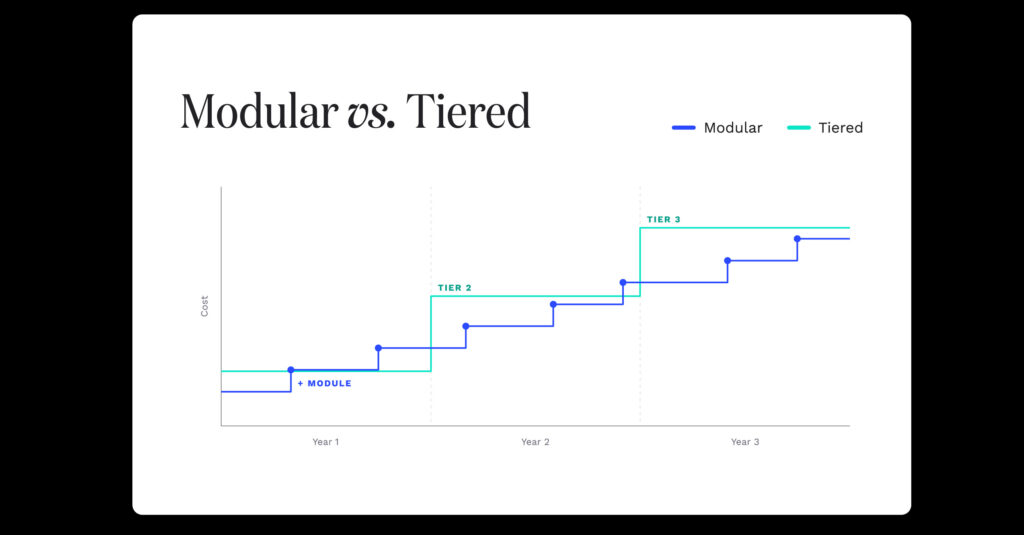
Modular pricing charges separately for each capability. A firm buys a base platform, then adds CRM, document management, e-signatures, billing, or a client portal as individual line items. The advertised entry price is real, and it is also rarely what anyone ends up paying.
Tiered pricing charges one per-user rate for a defined bundle. A firm picks the tier that matches how it operates, gets everything in that tier, and moves up when it needs more depth. The quoted number is closer to the final number.
Both models are legitimate. Your choice between them should come down to which one offers the specific strengths that best fit your firm’s daily operations.
How the Two Models Compare
What the quote covers
A base platform plus whatever modules you selected
One per-user rate for everything in the tier
Quote accuracy
Low. The number changes as needs surface
High. The number is usually final
Cost when you add a capability
A new line item, often per user
Included, or one step up a tier
Cost when you add a person
Multiplies across every module
One rate per user
Best case
A firm that genuinely needs two or three functions and nothing else
A firm using most of the platform
Worse case
Capability creep. Five modules later, you’re paying far more than the all-in-one option you ruled out
Paying for tier depth you have not grown into
Hidden risk
Features you assumed were standard turn out to be separate purchases
Tier jumps that arrive sooner than budgeted
Where Modular Pricing Gets Expensive
Most firms start by buying the two or three functions that solve the problems they’re most frustrated with. Then a client asks for an e-signature. Then billing needs to connect to time tracking. Then the portal needs secure messaging. Each addition is defensible on its own, but by the fourth one, the firm is paying more than the all-in-one option everyone ruled out as too expensive in month one.
Headcount compounds this. Under a modular model, adding a staff member can multiply across every module the firm has purchased, rather than adding one line to one bill.
There is a subtler cost. When the CRM, the documents, and the billing are separate purchases, they are frequently separate systems, which means somebody is re-entering data between them. That work does not appear on any invoice, and it’s usually the most expensive part.
Where Tiered Pricing Gets Expensive
Tiered pricing has its own risks as well, and a vendor who isn’t up front about them is not worth trusting on the rest.
A firm can land on a tier that includes more depth than it will use for the next two years. A three-person bookkeeping practice that needs client management and document storage may be paying for automation capacity it’s not likely to touch until it doubles in size.
The second risk is the tier jump. If the capability a firm needs sits one tier up, the increment can be steep, and it applies across every user rather than just the people who need the feature.
The question worth asking any tiered vendor: what specifically triggers a move to the next tier, and what does that cost at our current headcount?
How to Calculate Your Real Cost Under Either Model
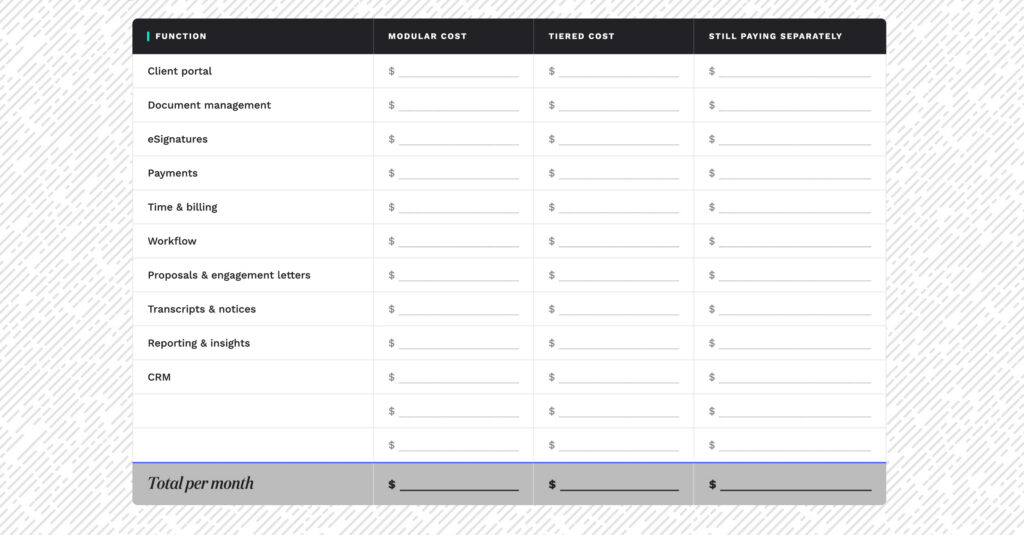
With a simple spreadsheet and about 20 minutes of your time, you can map out the true costs of each model. Just follow these four straightforward steps.
Step 1: List every function the firm needs, not just the ones that hurt today. CRM, workflow, documents, e-signature, client portal, time tracking, billing, payments. Include the ones currently handled by tools you’re planning to keep.
Step 2: Price the full list under each model. Under modular, that means every module, at your headcount. Under tiered, it means the tier that actually includes all of it, not the entry tier.
Step 3: Model it at the headcount you expect in two years. This is where the two models separate. Run both at current staff and at projected staff.
Step 4: Add the tools each option does not replace. If a quote leaves you still paying for a separate e-signature subscription, that subscription belongs in the total.
The number that comes out of step four is the comparable number. Anything before that is a sticker price.
What Canopy Charges, and Why the Model Changed
Canopy used to price by module. It moved to published tiers, and every tier (including the entry tier) now includes the full platform: CRM, workflow, document management, client portal, billing, and payments. Tiers control the depth of automation and reporting rather than whether a firm can use core functionality.
Current published rates are $74 per user per month for Standard, $109 for Plus, and $149 for Premium, all billed annually, with custom Enterprise pricing for larger firms.
Please note that several third-party buying guides still describe Canopy’s pricing as modular and list no dollar figure at all. That’s no longer accurate. You can find complete current figures and a detailed cost breakdown for a five-person-firm in the practice management software pricing guide.
“I was able to cut multiple software subscriptions, while adding only Canopy. The cost savings was enough to switch immediately after my demo. This software has been a lifesaver at a fraction of the cost!”
—Lindsay Huerd, Tax and Accounting Specialist, LEI Business Advisors
Canopy is top-rated on G2 in both Tax Practice Management and Accounting Practice Management in the 2026 Best Software Awards, placing it in the top 0.63% of more than 179,500 vendors on the platform.
Frequently Asked Questions
Modular pricing charges separately for each capability, so the final bill depends on how many modules a firm buys. Tiered pricing charges one per-user rate for a defined bundle, so the quote is closer to the final cost. The practical difference shows up as a firm grows, because modular costs climb with every capability added, and tiered costs climb only at tier changes.
Run the Numbers for Your Own Firm
Apply the four-step calculation to all software vendors you’re evaluating. If you want Canopy’s details, current tier pricing is published on the pricing page, and the interactive tour shows what the platform includes at every tier. Still narrowing the field? The guide to which practice management software is right for your firm will help you find the right functional fit, which should always be your first step, before you start comparing numbers.