

Canopy vs. Anchor
Schedule a demo with our product experts.
Compare Canopy to Alternatives
Manage more (with less software)
With Canopy, “from proposal to payment” means not only seamlessly managing client engagements, invoices, and payments, but also managing everything else in between—your client info, time, tasks, documents, reports, eSignatures, & more—with Canopy’s full-suite practice management software. Now is the time to decrease the burden (think implementation, training, cost, and adoption) of a bloated tech stack. “Proposal to payment” and “full-suite practice management” mean Canopy helps you do more, simply and seamlessly.

|

|
|
|---|---|---|
| Invoices and Payment Processing |
|
|
| Proposals & Engagements |
|
|
| Surcharging |
|
|
|
Time Management (timers, time entries, WIP) |
|
|
| Document Management |
|
|
| Workflow |
|
|
| Integrated Email |
|
|
| Multiple eSignatures |
|
|
| Cross-Module Reporting |
|
|
| Highly-Rated Mobile Apps |
|
|
(timers, time entries, WIP)
 4.6 stars on G2.com
"Canopy has become the hub of our firm. We use it every day for managing clients, documents, workflows, billing, and our client portal, and having everything in one place has made a huge difference. It's easy to use, keeps our team organized, and helps make sure nothing falls through the cracks."
Book a meeting with our experts.
Why Anchor firms are switching to Canopy
Account for your time
Whether you offer hourly or flat-rate billing, Canopy time & billing makes it easy to account for and manage your time. Set timers, create time entries, manage WIP, view productivity reports, and more. Time is money, after all.
Insights across your firm
Want to know how productive your staff is? What about how profitable your clients are? Gain these insights and more! Set up alerts, schedule reports, and customize liveboards with Canopy Insights.

Gather multiple eSignatures
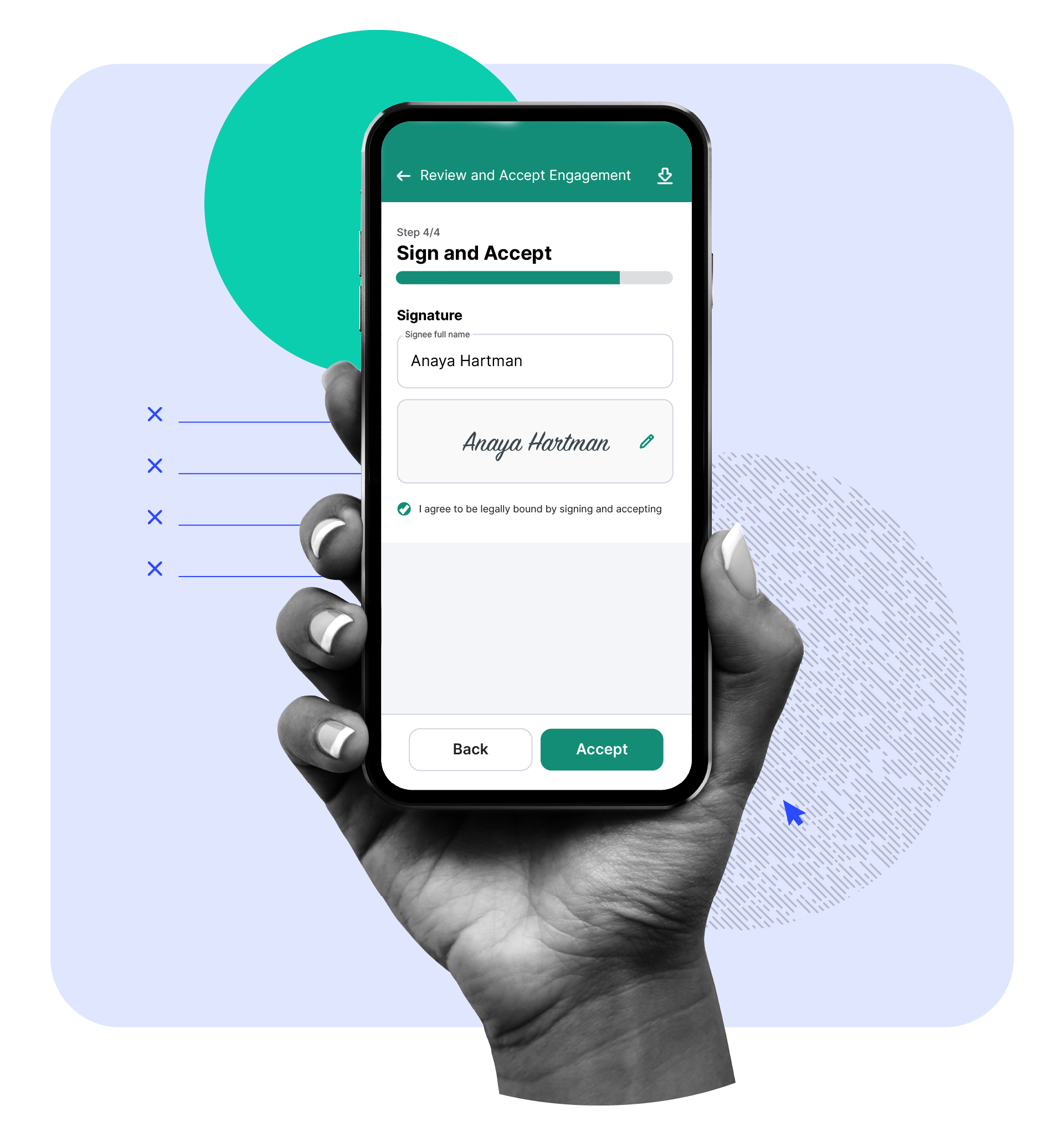
No matter the document–engagement letter, tax form, NDA, or more–you can conveniently gather multiple signatures from stakeholders. Collect these eSignatures via a secure client portal or using a secure link.
ANCHOR VS CANOPY
Easily Collect and Manage Client Documents
Collecting, storing, and editing documents is a central part of the work your firm does to get paid. With Canopy, you don’t need a separate (or *shudder* additional) system to do it. Your clients can easily upload their important documents in a secure portal (web or mobile), efficiently collect eSignatures, and conveniently store and organize an unlimited amount of documents. All in one place.
ANCHOR VS CANOPY
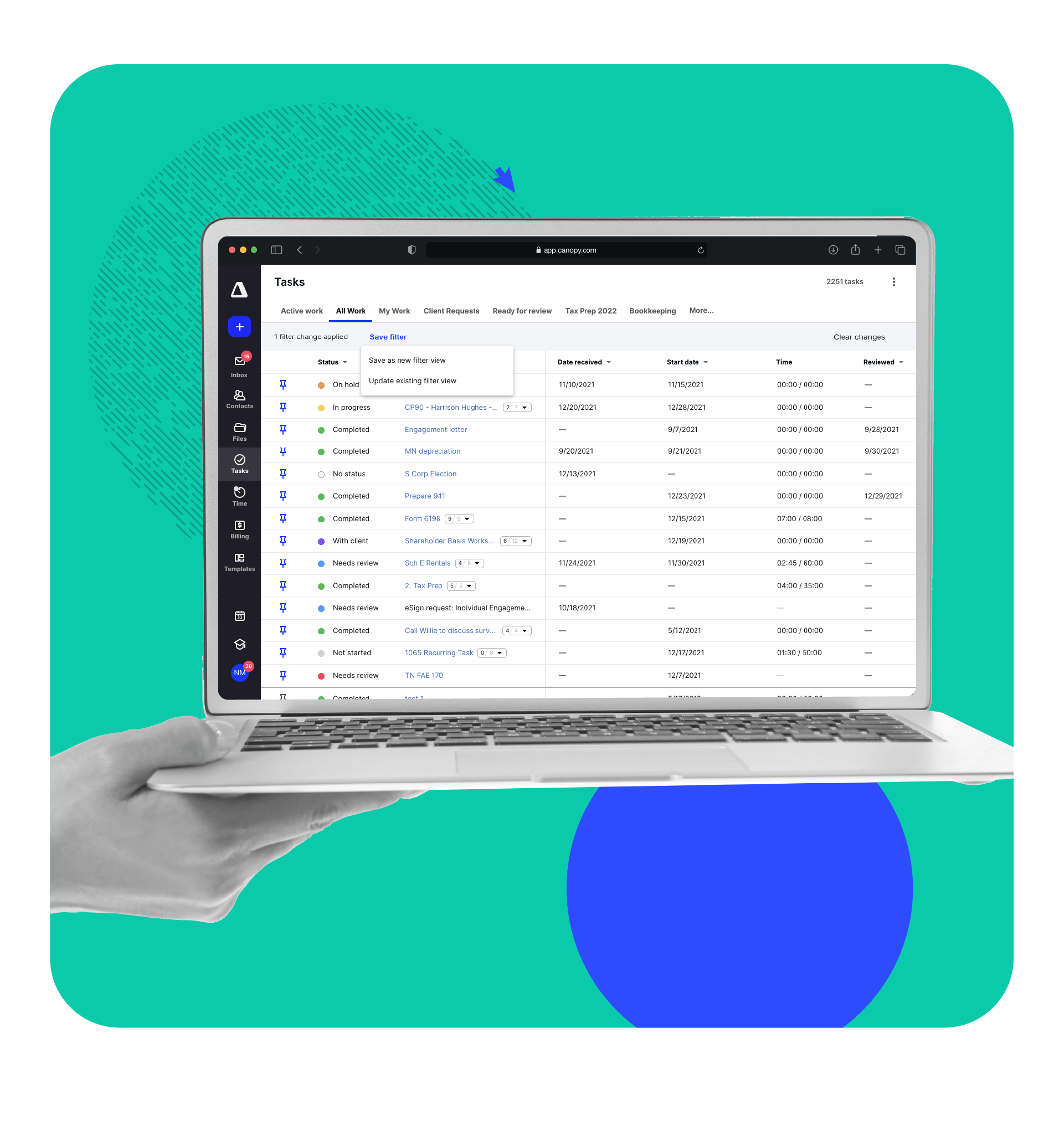
Track Work Efficiently (and See Results Instantly)
When you leverage Canopy’s Workflow module, you can skip the context switching, reduce manual efforts with automations, quickly get started with templates, and keep a pulse on work in your firm with tables and reports. You’ll see the Canopy difference immediately.
Engagements that are built into our Practice Management. Not bolted on.
What you need is a central hub for everything from proposals to payments to modern innovations like AI and whatever else will make your firm’s work easier. Which is precisely what Canopy is. Watch this video highlighting our engagements tool.
Frequently Asked Questions
Can’t find the answer you are looking for? Reach out to our support team.