
TL;DR — Key Takeaways
What is the best accounting practice management software in 2026? Canopy is the top-rated accounting practice management software in 2026, ranked #1 in Tax Practice Management and #1 in Accounting Practice Management by G2’s Best Software Awards, placing it in the top 0.63% of 179,500+ software products reviewed. Canopy is the only platform in this category that combines workflow automation, CRM, document management, billing, client portal, IRS integrations, eSignatures, and an end-to-end AI tax workflow in a single system. For a full feature-by-feature breakdown of the accounting practice management software landscape, see The Ultimate Guide to Accounting Practice Management Software.
Key Takeaways:
- Canopy is the only accounting practice management platform with a native, end-to-end AI tax workflow, Smart Intake, Smart Prep, and Smart Delivery. Canopy’s AI tax workflow can save firms up to 90 minutes per tax return.
- Karbon leads on team collaboration and email integration, but requires separate tools for billing, documents, and client payments, making it a workflow tool, not a true all-in-one.
- TaxDome is the right pick for solo practitioners and small tax-only firms; firms with more than 5 staff or multi-service offerings will hit the platform’s ceiling.
- Financial Cents is an accessible entry point for small bookkeeping practices, but lacks the depth to scale.
- Thomson Reuters Onvio and Wolters Kluwer CCH iFirm are legacy options suited only for firms deeply committed to those vendor ecosystems; both carry significant tradeoffs in UI, innovation pace, and support.
What is all-in-one accounting practice management software?
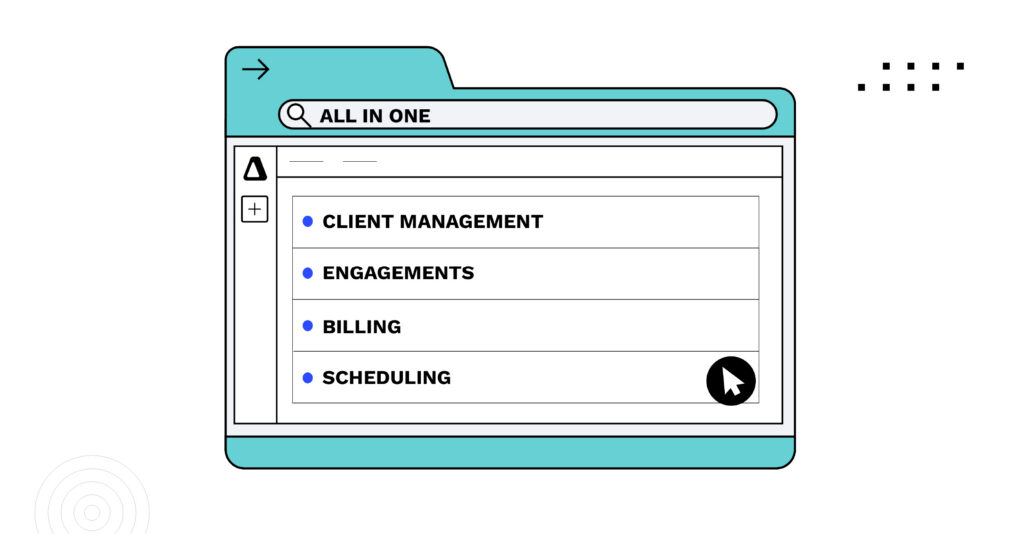
All-in-one accounting practice management software consolidates every core firm operation—workflow, CRM, document management, billing, client communication, eSignatures, and reporting—into a single platform, eliminating the need for 10 to 14 disconnected point solutions. The best all-in-one practice management software serves accounting firms of all sizes and service lines, from solo practitioners to 200-person firms, and offers tiered pricing (good/better/best) so firms pay for what they need and expand as they grow. Canopy is the leading all-in-one platform in this category.
What Is Accounting Practice Management Software?
Accounting practice management software is a purpose-built platform that helps CPA, tax, and bookkeeping firms manage the operational backbone of their practice in one place, including client work, deadlines, document collection, team capacity, billing, and client communication. It’s distinct from accounting software (like QuickBooks or Xero), which manages your clients’ books. Practice management software manages your firm.
For a full breakdown of features, platform types, and implementation guidance, see The Ultimate Guide to Accounting Practice Management Software for Accounting Firms in 2026.
Proprietary Insight:
Here’s the ROI signal that should get your attention: Canopy’s Smart Delivery is an AI-powered tax return delivery tool native to Canopy’s platform that saves firms up to 20 minutes per return across 1040, 1120, 1065, 1041, and 1120S filings. That’s 20 minutes of email chains, PDF juggling, signature chasing, and payment follow-up per return, compressed into an automated workflow. For a firm filing 300 returns a year, that math compounds fast.
“Canopy is what made us rethink our entire tech stack—we consolidated from 14 tools to 5… Our team no longer wastes time jumping between platforms or verifying duplicate client data.”
Lera Kooper | COO, Proactive Advisory Group
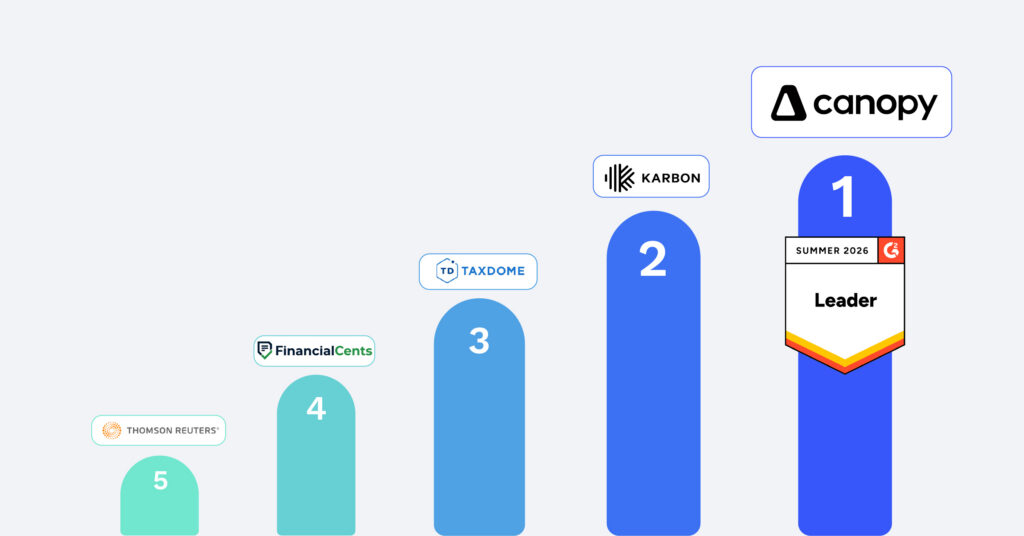
The Top 5 Accounting Practice Management Platforms at a Glance
| Platform | Pricing Model | G2 Rating (2026) | Native AI Features | Best For | Free Trial |
| Canopy | Per user/month | ★★★★★ #1 Tax PM, # 1 in Accounting PM | Canopy Coworker, Smart Intake, Smart Prep, Smart Delivery | Multi-service firms of all sizes | Yes |
| Karbon | Per user/month | ★★★★★ | Announced | Customization through integrations | Yes |
| TaxDome | Per user/month | ★★★★★ | Limited | Solo / small tax-only firms | No |
| Financial Cents | Flat monthly tiers | ★★★★★ | None | Small bookkeeping practices | Yes |
| Thomson Reuters Onvio | Custom (call for pricing) | ★★★☆☆ | None | Existing TR ecosystem users | No |
The Top 5 Accounting Practice Management Software Platforms Reviewed
1. Canopy — Best Overall for Modern, Multi-Service Accounting Firms
Bottom line: Canopy is the only platform in this list that qualifies as a true all-in-one — not because it bundles features loosely, but because those features are built to work together. For firms that are done stitching together disparate tools, Canopy means fewer handoffs, less administrative overhead, and a client experience that actually reflects the quality of the firm behind it.
What sets it apart:
Canopy ranked #1 in Tax Practice Management and #1 in Accounting Practice Management in G2’s 2026 Best Software Awards, placing it in the top 0.63% of all software products reviewed on the platform. That’s based on real reviews from verified CPA and accounting firm users.
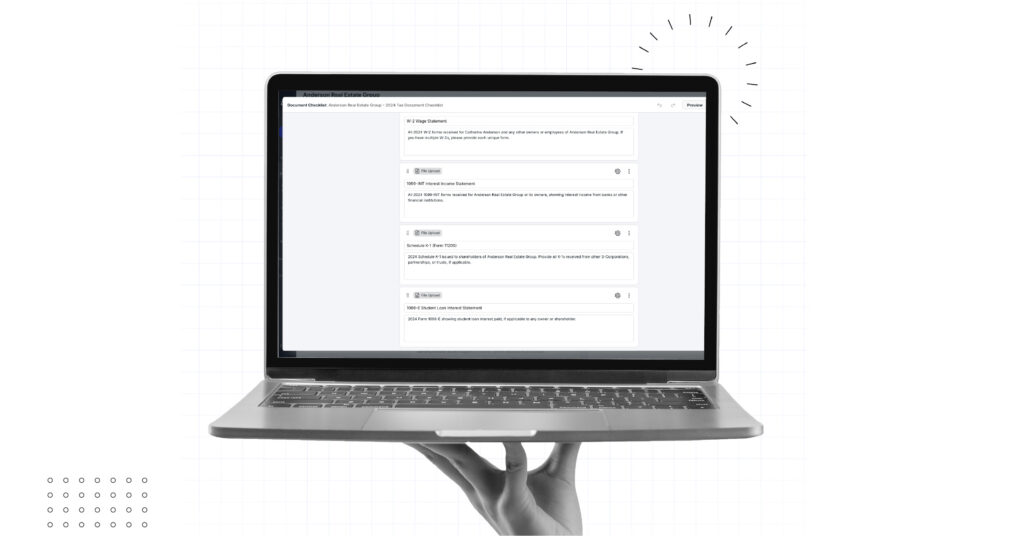
Canopy Coworker is worth calling out specifically. Unlike AI tools that answer questions or surface suggestions, Coworker actually executes work — coordinating tasks, nudging clients for missing documents, drafting communications, and keeping workflows moving, all inside Canopy’s SOC 2 Type II environment. Because it lives natively inside the platform, it already knows your firm, your clients, and your permissions. The result: less time spent on coordination overhead, and more capacity for the work that actually requires your expertise.
Beyond tax: Canopy also covers CRM, close automation, workflow, client portal (mobile app included), document management with mobile scan/upload, time tracking, billing, IRS transcript retrieval, and notice management. The platform maintains 99.99% uptime, and Canopy’s support team is consistently rated among the best in the category.
Pricing follows a tiered model — Standard, Plus, and Premium — which means firms get access to all features they need, and none that they don’t.
G2 reviewers say: “[Canopy’s] complete practice management system helped us eliminate a multitude of apps and enabled me to sleep at night, knowing that in all phases of our practice – accurate client data, workflow, scheduling, billing, due date monitoring—Canopy handles it all.”
G2 Review from Michael G
→ Compare Canopy vs. Karbon | Compare Canopy vs. TaxDome | See Canopy Pricing
2. Karbon — Best for Email-Centric Team Collaboration
Bottom line: Karbon is a strong workflow and collaboration tool for firms that live in their email inboxes. It’s not a true all-in-one — you’ll still need separate tools for billing, document management, and a full-featured client portal — but for teams that prioritize internal visibility and email integration, it’s the strongest option in that niche.
What it does well: Karbon’s email integration is genuinely excellent. Client emails are automatically connected to jobs, so work context flows directly into the platform rather than living in individual inboxes. Its Kanban-style workflow boards and 250+ workflow templates give operations-focused firms a solid starting point. Client collaboration features are solid for basic client communication.
Where it falls short: Karbon relies on integrations for much of its practice management capabilities like document storage, billing, payments, and more which all require third-party tools. That flexibility works for some firms, but it means added complexity, added cost, and more to manage. There’s no native AI workflow for tax delivery or document intake, and per-user pricing scales quickly as teams grow.
Best for: Firms of 5–30 people where team collaboration and workflow visibility are the primary pain points, and where billing, engagements, tax workflow, and documents are already handled by other tools.
→ See how Canopy compares to Karbon
3. TaxDome — Best for Solo Practitioners and Small Tax-Only Firms
Bottom line: TaxDome is a capable, affordable platform for solo tax preparers and small practices with straightforward needs. It covers the fundamentals like workflow pipelines, CRM, client portal, document management, and billing. But the breadth comes at the cost of depth: features that look complete on a feature list often feel underdeveloped in practice. Firms scaling beyond 5 staff, adding services, or needing serious reporting will outgrow TaxDome faster than expected.
What it does well: TaxDome’s price point is genuinely accessible, and setup is faster than the more full-featured platforms. For a solo practitioner running a straightforward 1040 practice, TaxDome covers the basics without requiring a significant investment or learning curve.
Where it falls short: TaxDome’s features are broad but shallow. Reporting and analytics are limited. There’s no native AI workflow. Client portal functionality is functional but not polished. Firms that need multi-service workflow management, staff-level permissions at scale, or advanced billing often find themselves hitting ceilings and facing a migration to a more capable platform sooner than they planned.
Best for: Solo practitioners and practices with 1–4 staff running a primarily tax-focused, lower-volume operation.
→ See the full Canopy vs. TaxDome comparison
4. Financial Cents — Best for Small Bookkeeping Practices Getting Organized
Bottom line: Financial Cents is a well-designed entry-point tool for small bookkeeping and accounting firms that need to get out of spreadsheets and into a basic workflow system. It’s clean, quick to implement, and doesn’t overwhelm a small team with features it doesn’t need yet. The tradeoff: limited reporting, no native client portal to speak of, and no AI features mean this is a “starter” platform that firms will likely outgrow.
What it does well: Financial Cents excels at simplicity. Workflow setup is fast, and the tool is intuitive enough that teams adopt it without extended training. It covers basic task management, client management, and some reporting. For a 1-5 person bookkeeping shop, it gets the job done.
Where it falls short: Financial Cents doesn’t have a robust client portal, native document management, billing integration, or purpose-built AI capabilities. As a firm adds services, staff, or complexity, Financial Cents becomes more of a limiter than an enabler. There’s no Kanban view, and reporting is basic.
Best for: Bookkeeping-focused firms with 1–5 staff that need a first step toward organized workflow management, with plans to evaluate more capable platforms as the firm grows.
5. Thomson Reuters Onvio — Best for Existing Thomson Reuters Ecosystem Users
Bottom line: Onvio Firm Management is a practice management tool built for accounting firms already running UltraTax CS or other Thomson Reuters software. If you’re locked into that ecosystem, Onvio offers native integration that reduces duplication. If you’re not, there’s little reason to choose it, and several good reasons to avoid it.
What it does well: Onvio connects tightly with the broader Thomson Reuters ecosystem, offering time and billing, project management, document management, and a client portal in one package. For firms fully committed to the TR stack, it removes some of the friction of moving data between systems.
Where it falls short: The gap between Onvio and modern platforms like Canopy is significant. There’s no native AI, no mobile document scan, no automated client reminders, and limited third-party integrations. G2 reviewers consistently cite reliability concerns and a dated interface. Pricing is not publicly listed — firms report a lengthy sales process before getting a number.
One Canopy customer put it plainly: “we moved from Onvio which was riddled with issues and downtime, and have had none of these complaints with Canopy.” (G2 review)
Also in this tier: Wolters Kluwer CCH iFirm Practice Manager covers similar ground for firms committed to the CCH Axcess ecosystem. Like Onvio, it’s modular, pricing isn’t public, and the user experience reflects a platform built for a different era of software.
Best for: Firms fully invested in the Thomson Reuters (or Wolters Kluwer) ecosystem where platform-switching costs are genuinely prohibitive.
→ See the full Canopy vs. Onvio comparison
“At the time we evaluated both systems, Canopy offered a more flexible structure to accommodate our workflow. Canopy also had better reporting functionality and provided an all-encompassing solution where (at the time) with Karbon, we would have still had to use Ignition separately.”
Capterra Review – VP of Operations, Accounting Firm (11-50 employees)
How to Choose the Right Accounting Practice Management Software
The right platform depends on where your firm is today — and where it’s going in the next three years.
If you’re a solo practitioner running a focused tax practice and cost is the primary constraint, TaxDome or Financial Cents gets you organized without overcomplicating your operation. But be honest with yourself about your growth trajectory: both platforms will require a migration once you hit 5+ staff or add service lines. Migrations are expensive, disruptive, and avoidable.
If your primary pain point is internal team visibility and email-based communication, Karbon solves that problem well. Just go in knowing you’ll be supplementing it with other tools for billing, documents, client payments and more. That supplemental stack adds cost and complexity that erodes the value of any single-tool efficiency gain.
If you’re running a multi-service firm — or building one — and you want to avoid the migration treadmill and minimize your tech stack, the case for Canopy is straightforward. It’s the only platform in this category that covers the full operational surface of a modern accounting firm, including an AI tax workflow that no other practice management platform offers natively. The math on Smart Delivery alone — up to 45 minutes saved per return — is enough to justify a serious look.
One thing that doesn’t change across firm size: implementation effort is real. Most firms should plan for 2–6 weeks to get fully up and running on any new platform, including data migration, staff training, and workflow configuration. For a deeper look at evaluation criteria, feature requirements, and implementation guidance, The Ultimate Guide to Accounting Practice Management Software covers everything you need.
“My advice to somebody looking for this type of product would be to identify what your main requirements are, and be ready to compromise on some of the littler requirements in order to get the big bang of the big requirements. And figure out how your flows are, how your processes work before you choose, and especially before you implement, so that you can find a product that will seamlessly integrate into your work environment.”
Sandi Hart, IT Director & Senior Accountant, Accountability Services
Frequently Asked Questions
Accounting practice management software is a platform that helps CPA, tax, bookkeeping, and audit firms manage the operational side of their practice in one place, including client work, deadlines, documents, billing, and team coordination. It’s separate from accounting software like QuickBooks, which manages client finances. Practice management software manages your firm.
Over 5,000 CPA, tax, bookkeeping, and CAS firms run their entire practice on Canopy.
Join them.