
Tax season and all its high and lows come around every year. The good news is tax season is predictable, which means all of the stress is too.
That challenge isn’t going away. But it can get easier, especially if you stop relying solely on more hours and sheer willpower to survive it.
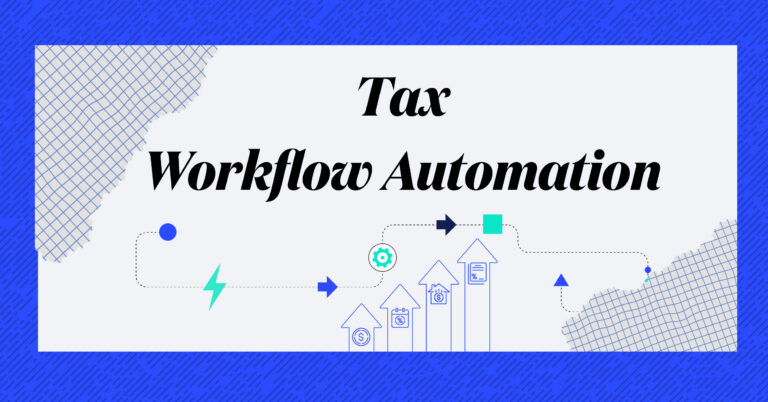
This is where automation comes in. Not as a magic fix, but as a powerful tool to reduce busywork, eliminate bottlenecks, and help your team breathe again.
Why Automation Matters for Firm Owners (Especially in Tax Season)
Automation is often overused as a buzzword, but when implemented with purpose, it can help your firm:
- Eliminate repetitive manual tasks
- Speed up client communication
- Reduce errors and missed steps
- Scale your processes without increasing stress
Think back to previous tax seasons. Where did your team get stuck?
- Chasing down missing documents?
- Digging through cluttered email chains?
- Constant client follow-ups?
- Struggling to see who was overloaded?
Those stressors pile up because the system can’t keep up. Disconnected tools, manual steps, and one-off workarounds create friction everywhere. Automation brings order back to the process itself so work flows the way it should. The result isn’t just speed, but consistency, clarity, and capacity you can actually rely on.
To Start, Review Your Processes and Prep Your Team
Before you automate anything, take time to assess what is already in place. The most effective automations simplify what is working rather than replacing everything at once.
Start by asking a few key questions:
- Where does work consistently slow down?
- What tasks are being repeated manually?
- What’s consuming your team’s time without adding much value?
Then communicate the plan. Show your team how automation will support their work and help reduce the chaos, not make their lives harder.
3 High-ROI Automations You Can Implement Right Now
These are low-effort, high-impact ways to reduce friction and regain control quickly, without overhauling your entire process.
1. Turn Recurring Work Into Workflow Templates
Anything your team does over and over again, like 1040 prep or extensions, should be turned into a task template.
In Canopy, you can build reusable workflows that include:
- Clear due dates
- Subtasks with instructions
- Automatic task handoffs when work is completed
This helps standardize the process and reduce the burden of manual tracking, even for employees who are hesitant about change.
2. Assign Work with Clear Owners and Deadlines
When a task is not assigned to someone specific, it is more likely to get missed.
Use automation to assign work by role, kick off review steps, and trigger alerts when things are overdue. This keeps everyone’s task list clear and focused.
Canopy’s task dashboards show what is assigned to each person, what’s overdue, and where projects are getting stuck.
3. Centralize Communication to Cut Context Switching
If your staff needs five different tools just to update a client, that’s a sign it’s time to simplify to get fewer emails, faster turnarounds, and less staff interruptions.
Canopy’s built-in email sync lets you:
- Attach emails directly to workflow tasks
- Generate replies with AI
- Create tasks from client messages
- Add internal notes without forwarding emails
Everything lives in one place, making collaboration easier.
Make Client Communication Foolproof
Clients don’t need more emails during tax season. What they need is simpler, clearer communication. A few well-timed messages and easy-to-follow steps can reduce back-and-forth, prevent confusion, and help your firm move faster.
Here are three ways to make client communication more effective and less stressful:
1. Automate Standard Reminders
Most clients need the same reminders each year:
- “We still need your W-2s”
- “Your tax organizer is ready”
- “Please sign your engagement letter”
Rather than rewriting these messages manually, create standard templates you can reuse. Schedule them ahead of time or set calendar reminders to send them in batches. Be direct and specific in your messaging. A clear subject line, one main call to action, and a firm deadline will increase response rates.
2. Send Tax Organizers Efficiently
The easier it is for clients to complete and return their organizer, the faster your team can get started. Keep the format consistent, include basic instructions, and prefill known information when possible. Avoid overwhelming clients with long or overly detailed forms. Simplicity and clarity go a long way.
3. Make Self-Service the Default
Clients should not have to email or call just to send you a document, sign a form, or pay a bill. Set up a central location where they can take care of these tasks on their own. At the start of tax season, send a short guide that outlines exactly how to work with your firm, what to expect, and where to go for each step. This will cut down on confusion and help everyone stay on track.
Canopy Pro Tip
Canopy makes all of this even easier. You can schedule automated reminders, send bulk tax organizers that update based on client responses, and offer a secure client portal where clients can upload documents, eSign forms, and pay invoices all from one place. It is designed to be intuitive for clients of all ages, including those who are not tech-savvy.
Eliminate Bottlenecks Before They Happen
Working faster is a good starting point, but real efficiency comes from preventing slowdowns before they happen. Most bottlenecks aren’t random. They’re caused by unclear handoffs, missing context, or forgotten follow-ups. Fix those root issues, and work keeps moving without constant intervention.
Here’s how to get ahead of the most common bottlenecks.
1. Set Up Follow-Up Triggers
Don’t rely on memory or inbox searches to move work forward. Build reminders into your process for review steps, missing documents, or adjustments that need a second look. These can be added to task templates or handled with scheduled check-ins.
2. Connect Time Tracking to Your Workflow
If your team tracks time separately from the work they are doing, it’s easy for things to slip through the cracks. Look for a way to log time as part of task completion or project updates so you get accurate data without the extra effort.
3. Use a Visual System for Routing Work
Tax prep often involves multiple stages, and delays usually happen during handoffs. A visual system that shows where each return is in the process makes it easier to spot delays and keep everything moving. A simple board or checklist is better than chasing updates over email.
Canopy Pro Tip
Canopy lets you automate follow-ups, track time directly within your workflows, and route returns from prep to review without extra emails or manual check-ins. The visual task boards and progress tracking make it easy to see where every project stands and who is responsible for the next step.
Stay in Control with Better Reporting
Tracking what has been done is helpful, but tracking how it was done gives you the power to improve. Especially during tax season, visibility into workload and performance is key to avoiding burnout and making smart staffing decisions.
Here’s how to get the reporting you need:
1. Track Key Turnaround Metrics
Monitor how long returns and projects are taking from start to finish. Look for delays between task stages and identify trends over time. This helps you spot recurring issues and fix them early.
2. Review Capacity Across the Team
Keep an eye on who has too much on their plate. Create a simple weekly report that shows task assignments by team member. Even a basic overview can help you balance workloads and avoid bottlenecks caused by burnout.
3. Use Live Data to Guide Mid-Season Pivots
Static reports are helpful, but real-time data makes it easier to make informed decisions mid-season. If you can see which clients are lagging or which tasks are piling up, you can shift resources quickly instead of waiting until the damage is done.
Canopy Pro Tip
Canopy Insights gives you access to live dashboards that show turnaround times, overdue work, team capacity, and more. You can build custom reports to track exactly what matters to your firm and use that data to make confident, informed adjustments throughout tax season.
Automate Early, Update Often
Automation is not about replacing people. It is about removing friction so your team can focus on the work that actually matters.
Start small. Build a few templates. Automate your basic client requests. Make communication easier.
The earlier you start, the more your firm can grow without growing the chaos too.